Ecozen
$79 $59 Launch offer ends in 22
d
04
h
08
m
29
s
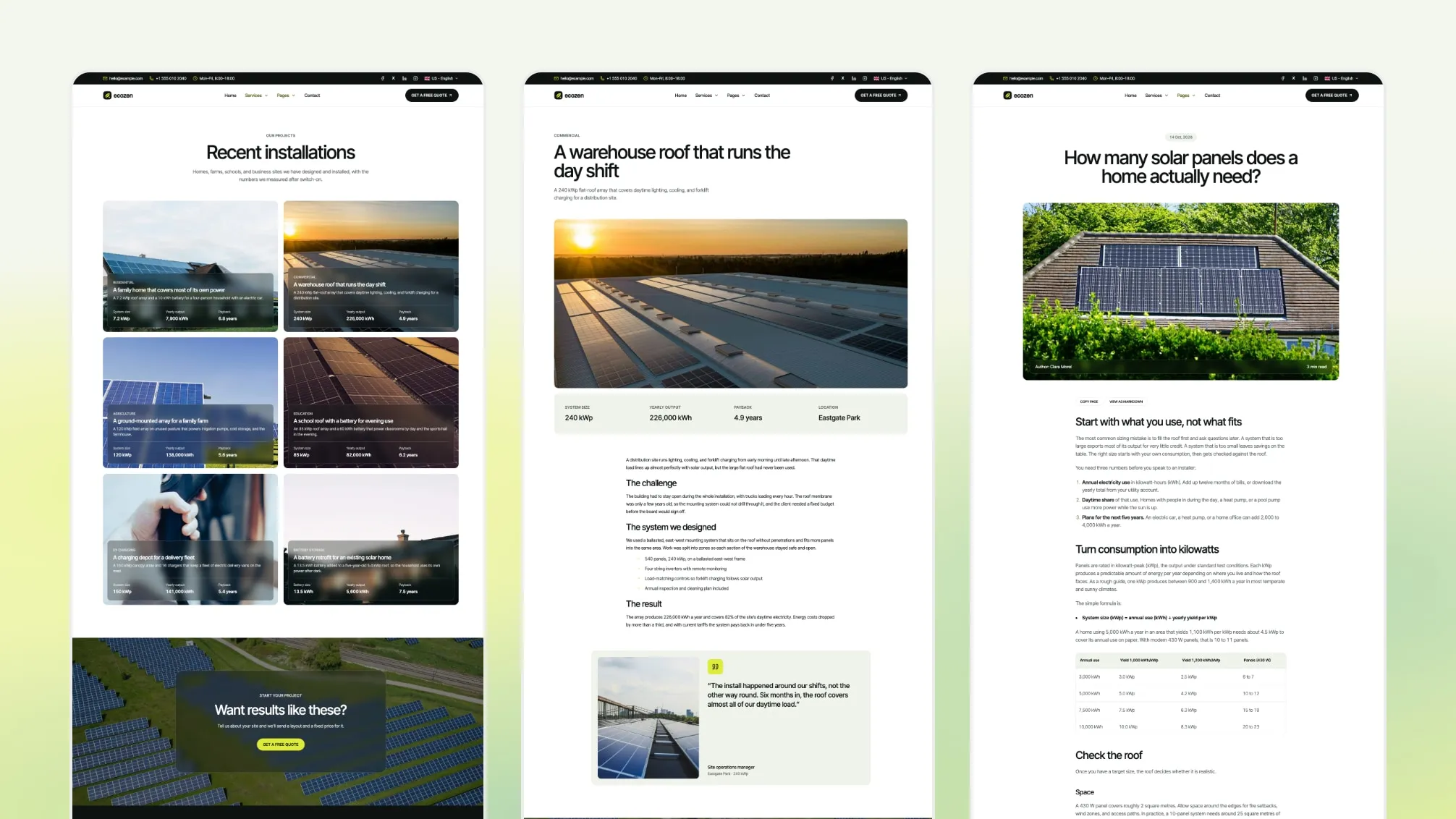
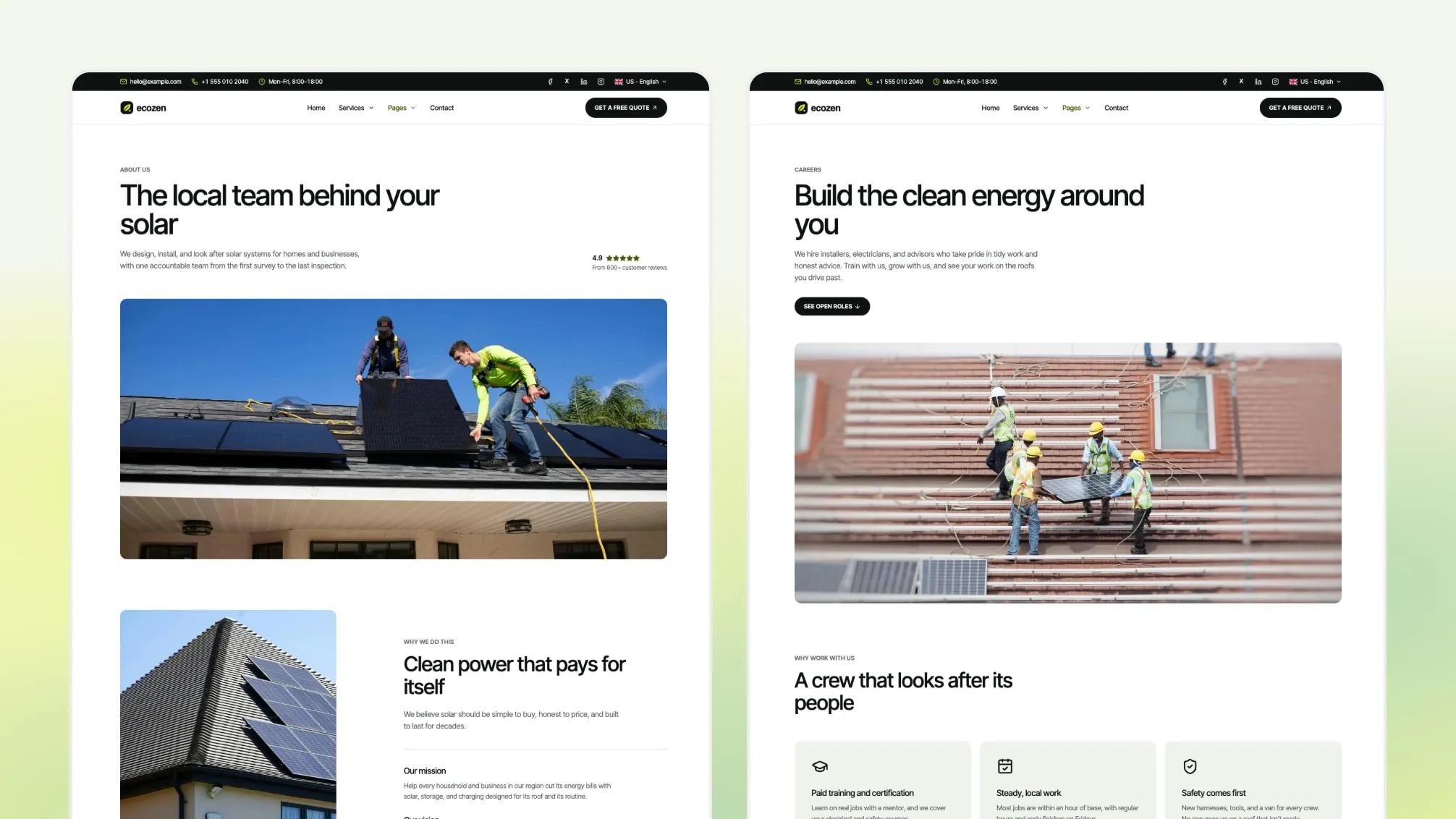
Ecozen is an Astro theme for the website of a solar installer or renewable-energy company that works with homes, businesses or farms. It is built with Astro and Tailwind CSS and covers services, project case studies, package pricing, a savings calculator, a multi-step quote request, about, team and careers pages, in English and French.
Quotes, surveys and contracts stay in your own process. Ecozen gives you the pages that explain what you install and turn visitors into quote requests.
By The Numbers
- 4 Homepages
- 19 Inner Page Designs
- 32 Section Components
- 7 Sections With 2 To 4 Layouts
- 4 Header Layouts And 4 Footer Layouts
- 6 Sample Services And 6 Sample Projects
- 2 Languages: English And French
Four Homepages
Each homepage is built for one kind of energy business, with its own header, hero, sections and footer:
- Residential solar (
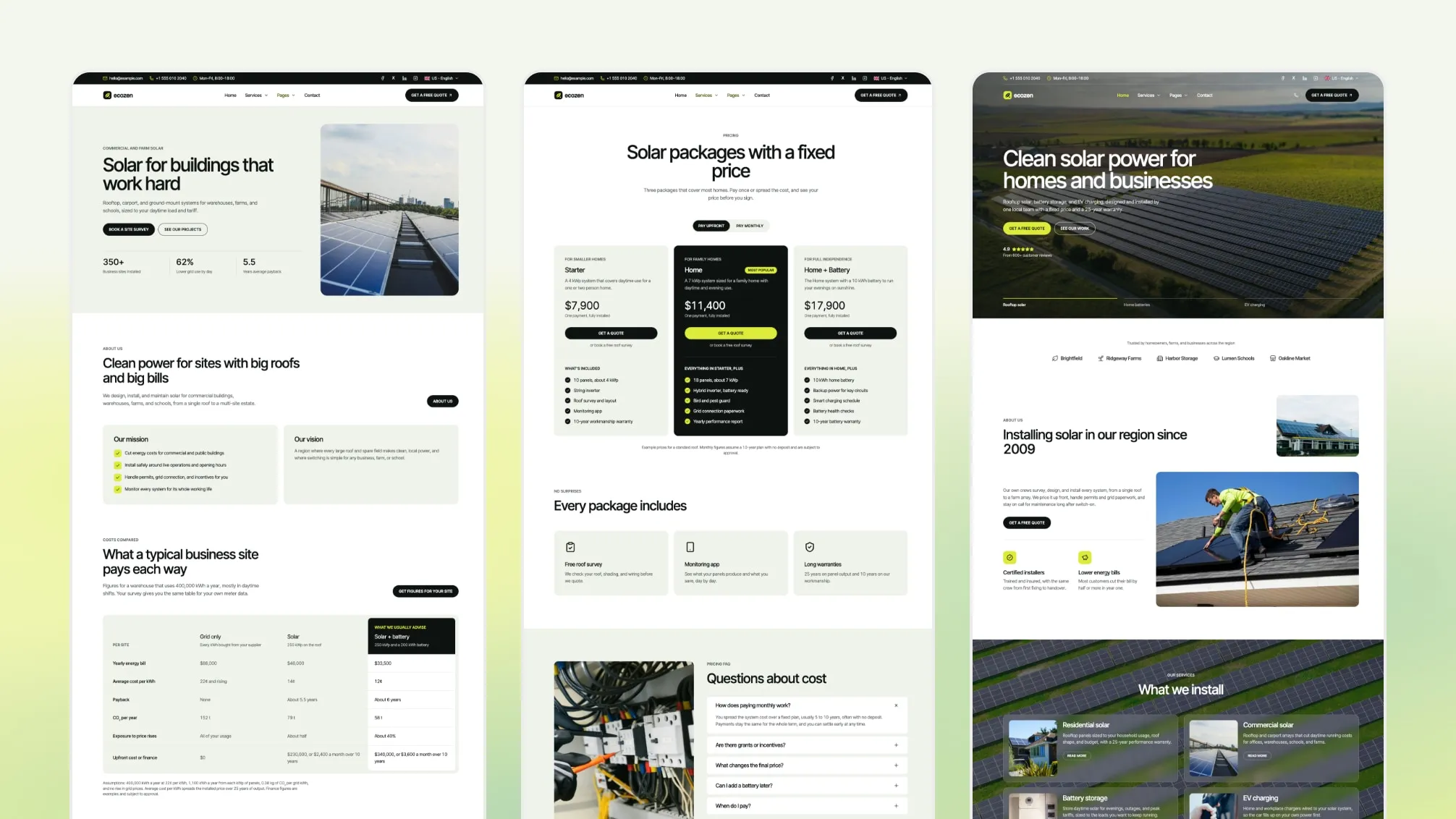
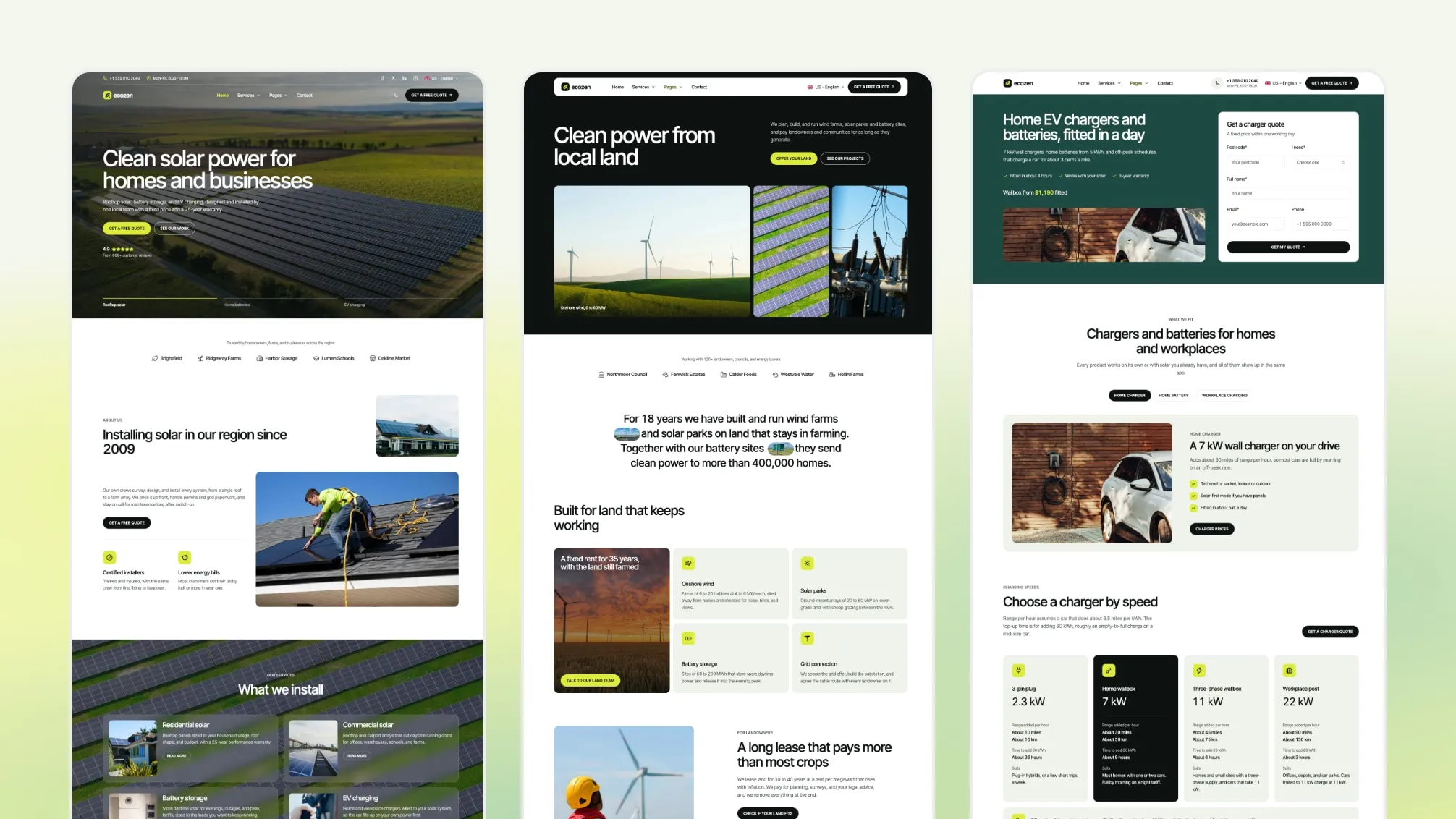
/): a full photo hero with a rating and key facts, services band, benefits, a four-step process, reviews, impact figures, the savings calculator, the areas you cover, reasons to choose you, FAQ and latest posts.
- Commercial solar (
/home-two/): a light split hero with key figures, company cards, a grid vs solar vs solar-plus-battery cost table, benefits with photos, a project timeline, a services list, case studies, a careers band and a newsletter footer.
- Renewable energy developer (
/home-three/): wind, solar parks and storage, with a dark hero with photo tiles, a statement paragraph with inline photos, a sector grid, a step slider, portfolio figures, a large-quote review, a site enquiry form over a photo and a footer with a call to action.
- EV charging and batteries (
/home-four/): a quote-form hero on a brand-color block, tabs for home charger, battery and workplace charging, a charging speed guide, packages with an upfront/monthly toggle, case studies, FAQ and a light footer with contact details.
Keep the one that fits your business and remove the others, or reuse their sections on your own pages.
Pages Included
Services and work
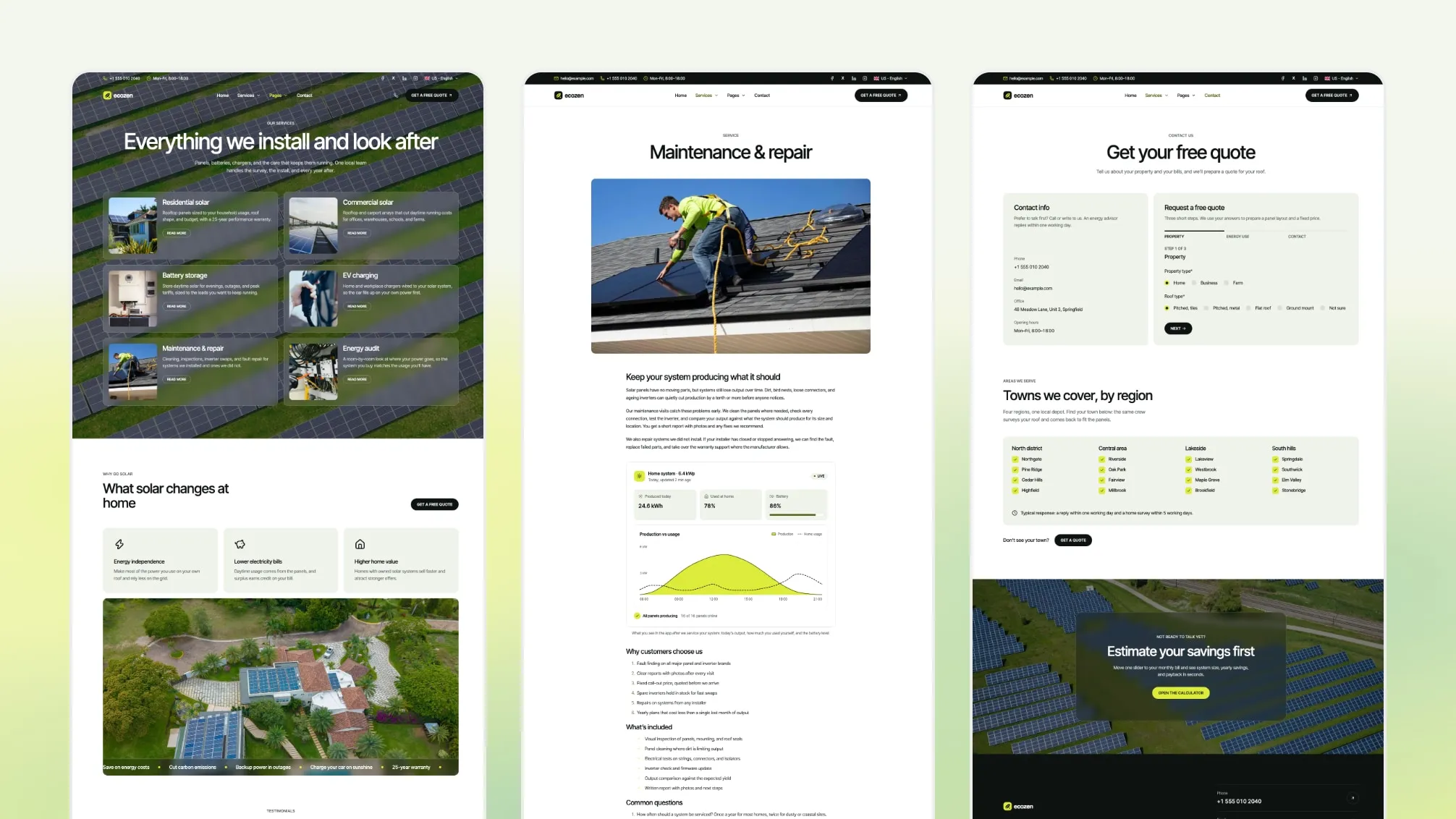
- Services overview and a page per service, with sample residential solar, commercial solar, battery storage, EV charging, energy audit and maintenance pages
- Projects overview and a case study page per project, with a facts strip and a client quote
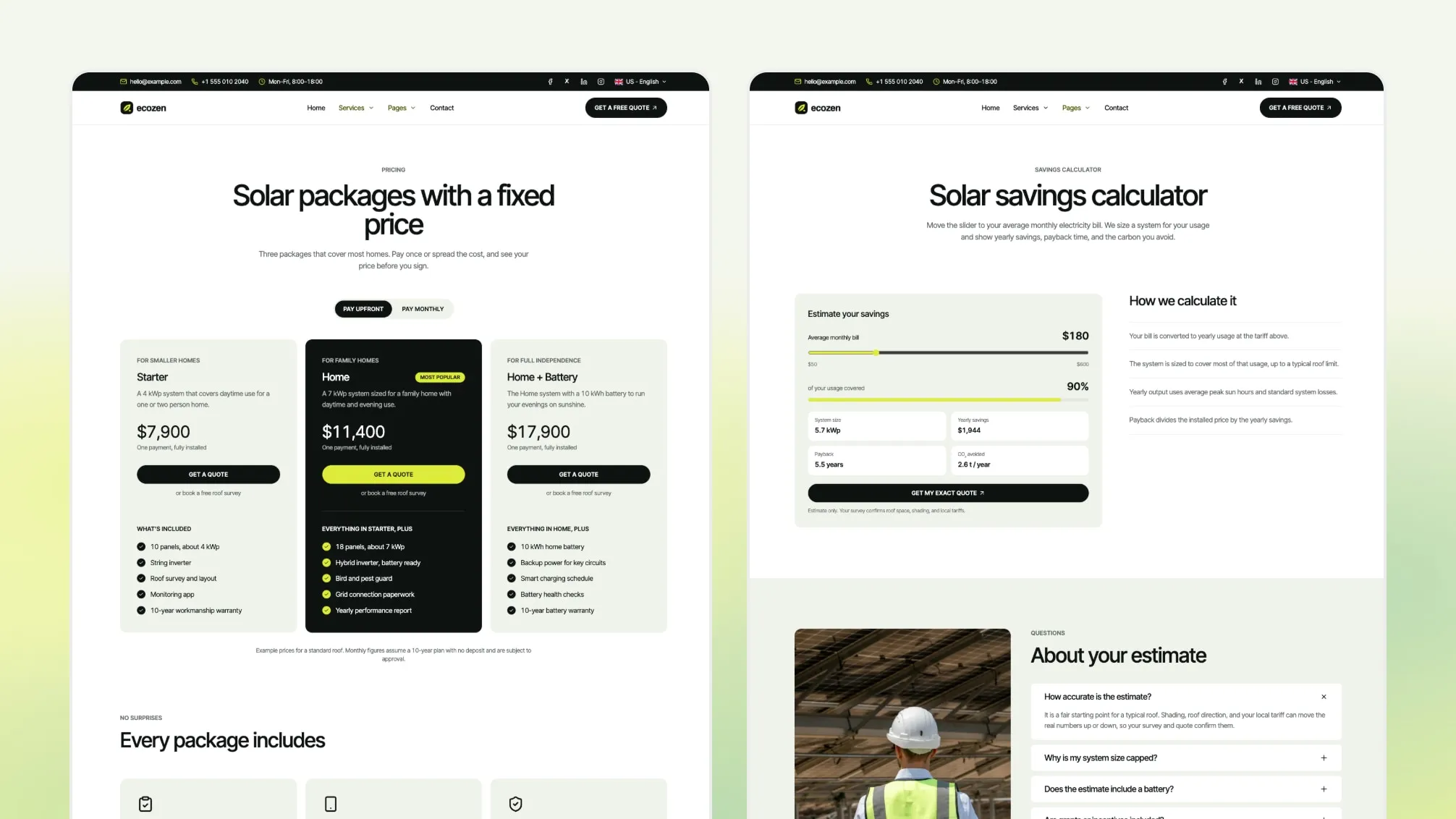
- Pricing page with three packages, a pay upfront and pay monthly toggle, an includes list and a pricing FAQ. Packages link to your quote page; there is no checkout.
- Savings calculator page
- Quote request page with a three-step form that also works without JavaScript
Company
- About page with mission, values and impact figures
- Team page
- Careers with a page per role
- FAQ page grouped by topic
Content and legal
- Blog with featured posts, categories, tags, pagination, related posts and RSS
- Privacy policy and terms pages with placeholder text for your own legal review, and a 404 page in each language
What You Get
- Full Astro source code, deploy configs for Netlify, Vercel and Cloudflare Pages, AI assistant instruction files, a changelog, and demo content in English and French.
- Static output: no server or database needed to host it.
- Demo photos, logos, prices, figures and text are samples to replace before launch.
Not Included
- Quoting, survey booking or CRM software. The quote form posts to a form service.
- Checkout or financing. The pricing page and monthly prices are page designs with sample figures.
- Live tariffs or solar data. The calculator uses fixed assumptions that you edit.
- A CMS. Content lives in files in your repository.
- Dark mode. Ecozen ships one light palette.
- A Figma file.
- Hosting, a domain or deployment.
What You Can Build With Ecozen
Residential solar installer. Start from /: the photo hero, services band, reviews, the savings calculator and the quote form. Extra work: set the calculator’s tariff, sun hours and installed cost for your region.
Commercial or farm solar installer. Start from /home-two/: the headline hero, company cards, the services list and project case studies. Extra work: replace the sample projects with your own sites, figures and client quotes.
Battery or EV charger installer. Use the service pages, pricing packages and quote form, and rename the sample services to what you install. Extra work: write your own package contents and prices.
Energy audit or maintenance company. Use the services, FAQ, team and careers pages. Extra work: the calculator and packages are solar-specific, so remove them or rewrite them for your services.
Change Layouts From Content Files
7 sections come in 2 to 4 layouts: hero (photo, split, panel or form), company intro (default or cards), services (band or list), benefits (grid or stack), impact figures (panel, split or cards), process (steps or timeline) and reviews (slider or quote). Pick a layout with one options.layout value in the section’s content file, or in a page’s frontmatter block, with no code changes.
options:
  layout: "headline" # photo | headline
Section files list their options and allowed values in comments.
Site Settings In One File
Site identity, contact details, forms, local business details, cookie consent, the announcement bar, animation and languages are set in src/config/config.toml. For example (comments shortened):
[seo.localBusiness]
  type       = "HomeAndConstructionBusiness"
  areaServed = ["Springfield", "Riverside", "Greenfield"] # the towns or regions you install in
Set your site URL once in config.toml, and every canonical, sitemap and feed URL follows it. Colors and the type scale are set in src/styles/theme.css. Menus are in src/config/menu.en.json and menu.fr.json.
Where Things Live
src/
  config/          config.toml, menu.en.json, menu.fr.json, social.json, fonts.json, language.json
  content/         Markdown and MDX for every page, in english/ and french/ folders
    sections/      default content for each section
  layouts/         page layouts, 22 section components, widgets and cards
  pages/[...lang]/ routes for both languages
  sections.schema.ts  section fields and layout options
  styles/theme.css    colors and type scale
Page text, images, buttons, menus and section options live in Markdown, TOML and JSON files, not in components. A page can override any section’s content through a named block in its frontmatter while the section keeps its shared defaults.
Built-In Site Features
- SEO basics built in: canonical and Open Graph tags, a sitemap,
robots.txt and an RSS feed. Set your site URL in config.toml first.
- JSON-LD structured data for your local business, services, blog posts and job postings. Delete or replace the sample careers entries before launch so no sample job ads are published.
- Hreflang tags for both languages.
- Cookie consent banner: scripts you mark as analytics or marketing run only after the visitor accepts that category.
- Desktop dropdowns and the services mega menu open in one panel that resizes and slides between menus, with keyboard support. Optional announcement bar.
- Contact and quote form that posts to Formsubmit, Formspree or Netlify Forms, chosen in
config.toml.
- Respects the reduced-motion setting for animations and smooth scrolling.
- Generates llms.txt, llms-full.txt and a Markdown copy of each service, project, post, FAQ and legal page, which some AI tools and coding agents can read.
- Copy page and View as Markdown buttons on blog posts, with optional Ask links for ChatGPT, Claude, Perplexity or Grok.
robots.txt switches to allow or block AI search crawlers and AI training crawlers separately.
Ecozen ships instruction files for AI coding tools: AGENTS.md, plus CLAUDE.md for Claude Code and rules for Cursor and GitHub Copilot.
What each tool reads on its own:
- Codex:
AGENTS.md
- Cursor:
.cursor/rules/theme-architecture.mdc and AGENTS.md
- Windsurf:
AGENTS.md
- GitHub Copilot:
.github/copilot-instructions.md and AGENTS.md
- Claude Code:
CLAUDE.md
Most changes are edits to Markdown, TOML and JSON files. Ask your assistant to update the English and French files. Some things stay with you: form accounts, your domain and host, legal text, prices and calculator assumptions, logos and photos, and a final look at every page in the browser.