Margo
$79 $59 Launch offer ends in 29
d
23
h
49
m
03
s
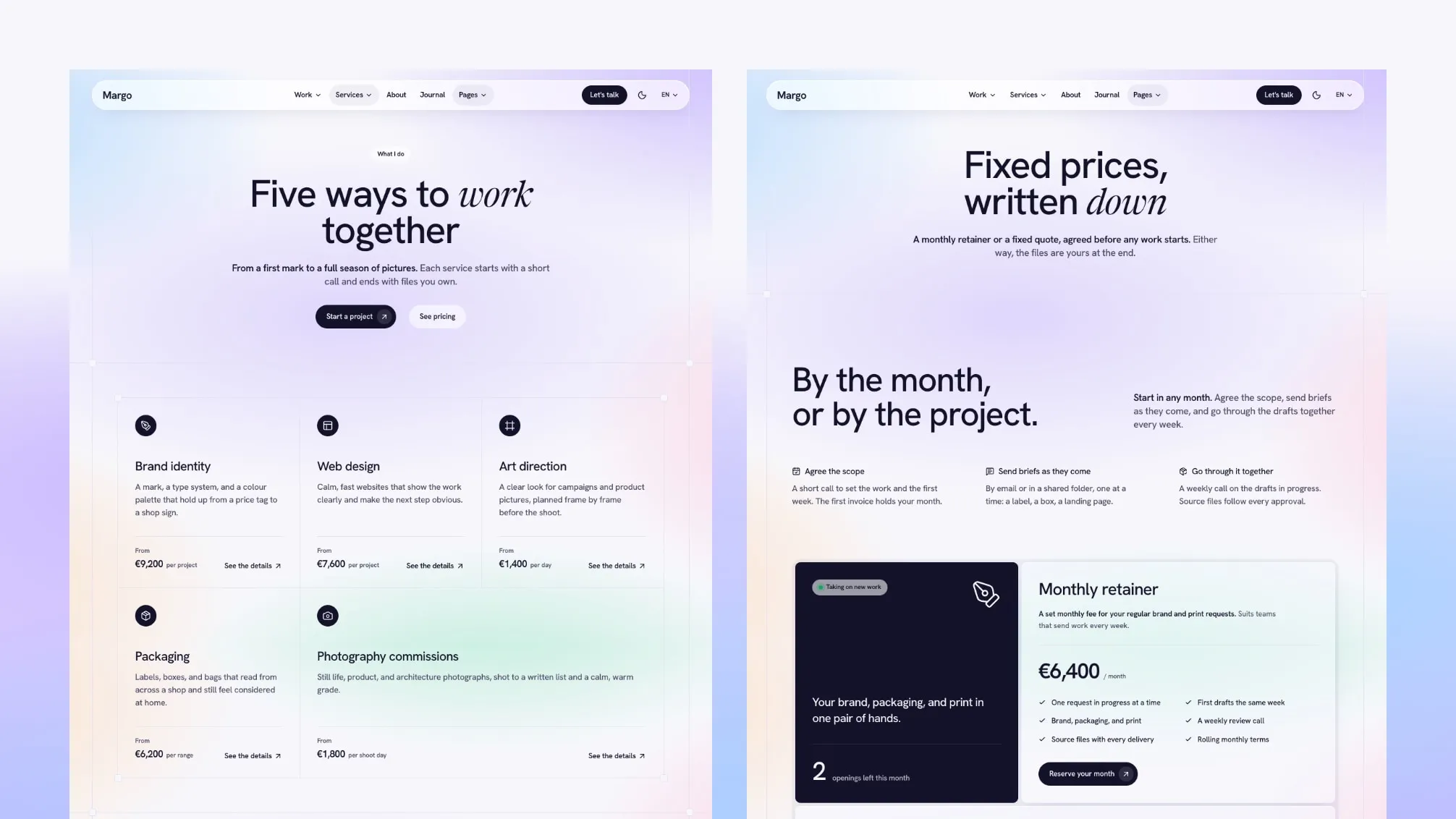
Margo is an Astro theme for an editorial portfolio: a solo designer, a small design studio or a photographer. It is built with Astro and Tailwind CSS and covers projects as case studies and photo series, an archive of every project, services with starting prices, pricing, about, team, testimonials, FAQ, contact and a journal, in English, French and Arabic, light and dark.
Bookings, payments and client work stay in your own tools. Margo gives you the pages that show your work, explain what you offer and what it costs, and bring in enquiries.
By The Numbers
- 3 Homepages
- 19 Inner Page Designs
- 23 Section Components
- 55 Layouts Across 19 Sections And The Page Header
- 3 Header Layouts And 3 Footer Layouts
- 12 Sample Projects (6 Case Studies, 6 Photo Series), 5 Services And 7 Journal Posts
- 3 Languages: English, French And Arabic
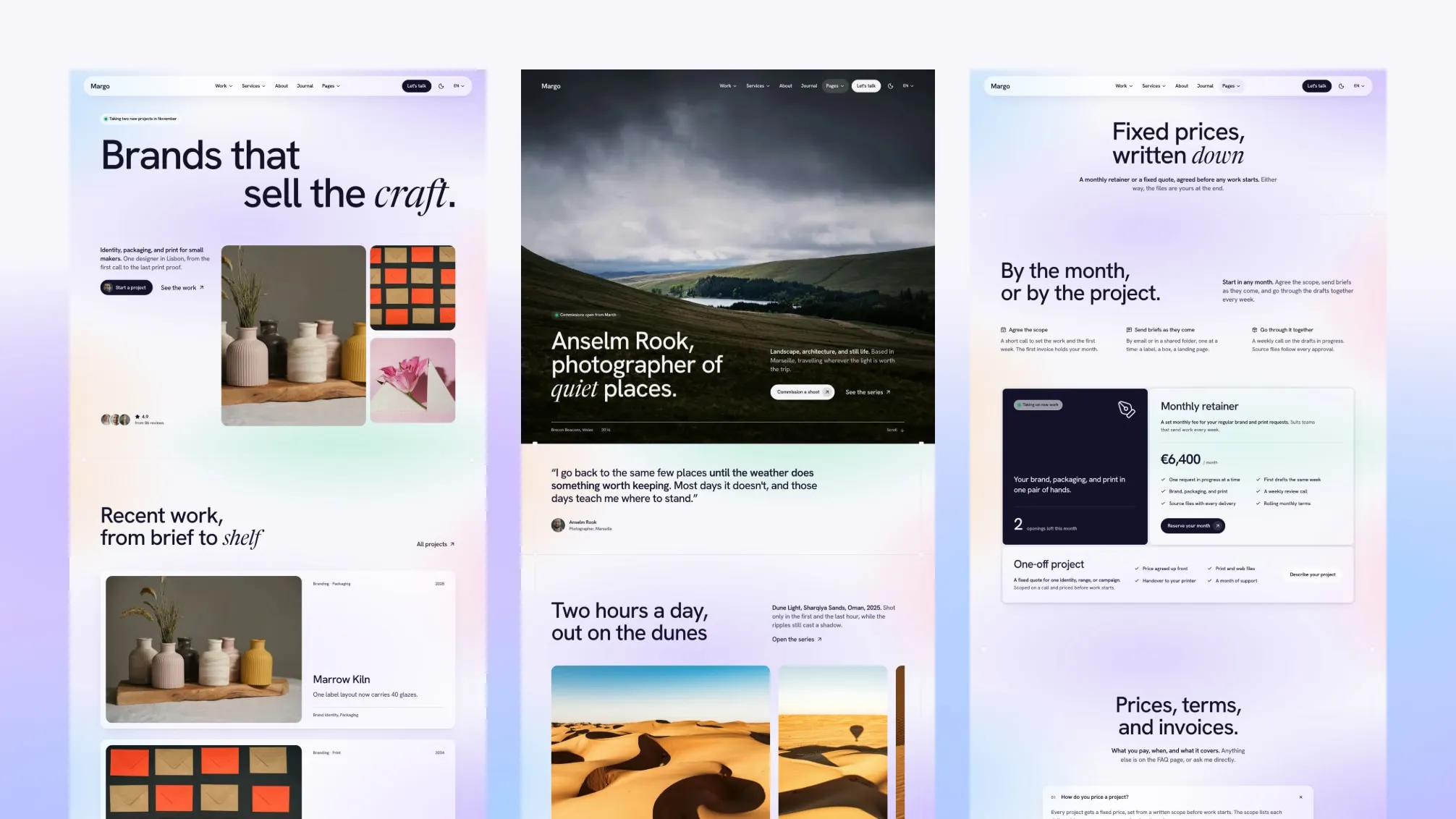
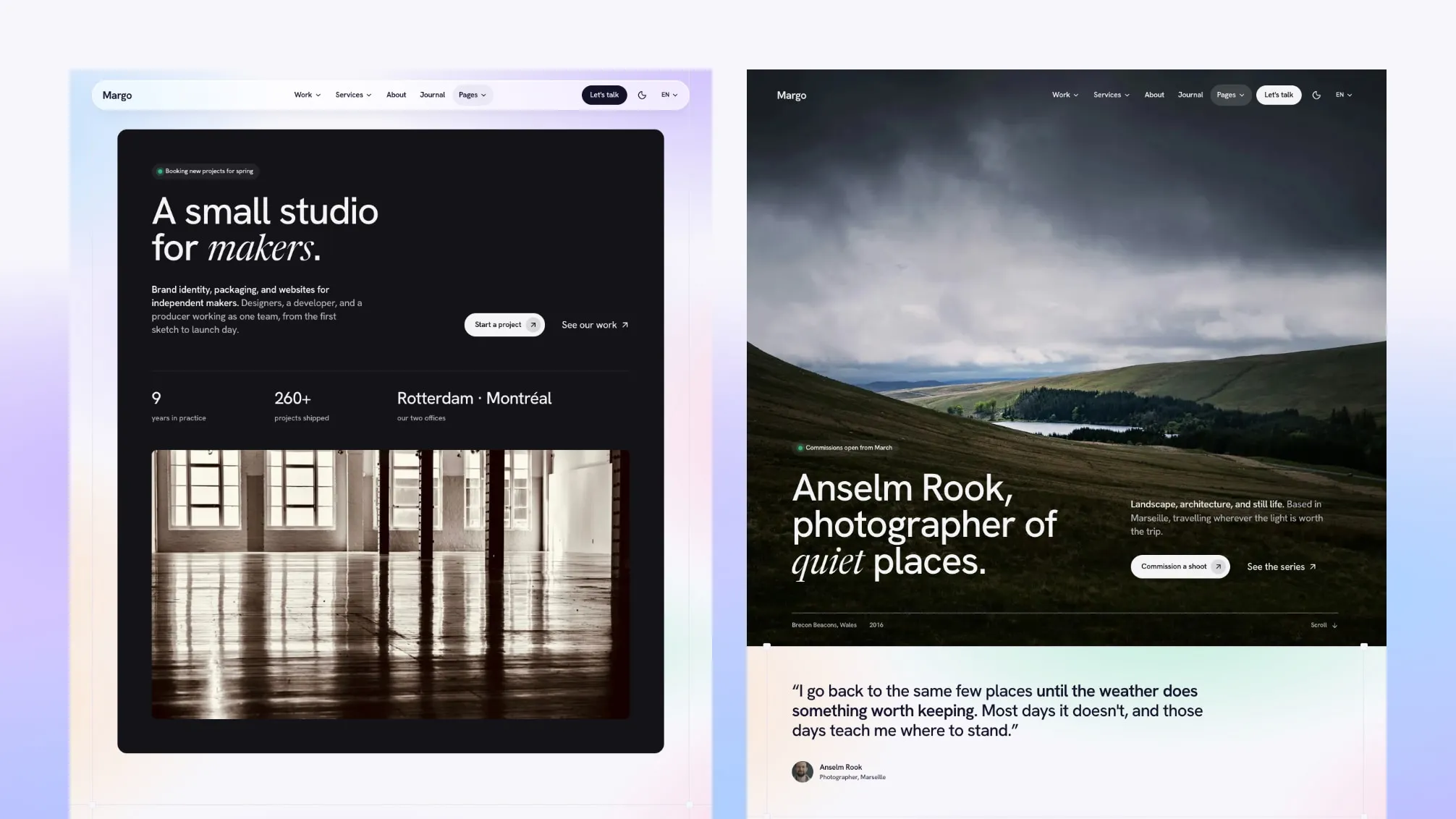
Three Homepages
Each homepage is built for one kind of creative practice:
- Solo designer (
/): the main homepage, with a large two-line masthead on a soft colour field and three project photos, then projects, services, numbers, pricing, testimonials, FAQ and the journal.
- Small studio (
/home-studio/): a dark panel with the studio’s numbers and a wide studio photo, then client logos, projects, services, the process, the team and the journal.
- Photographer (
/home-photo/): a full-bleed photo with the photographer’s name over it, then a gallery, the photo series and pricing.
The studio and photographer homepages pick their own header and footer layouts. Keep the one that fits you and remove the others, or reuse their sections on your own pages.
Pages Included
Work
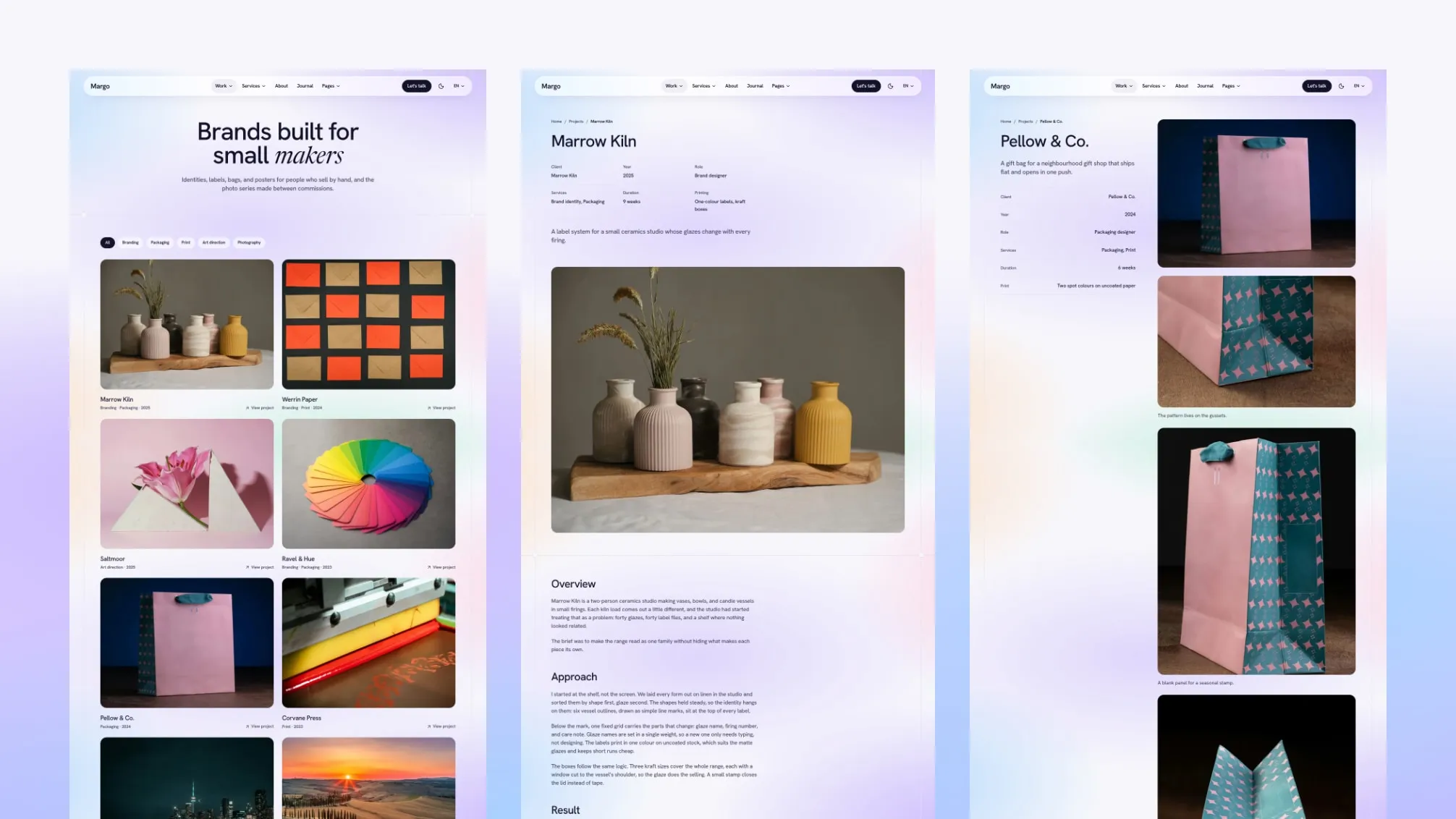
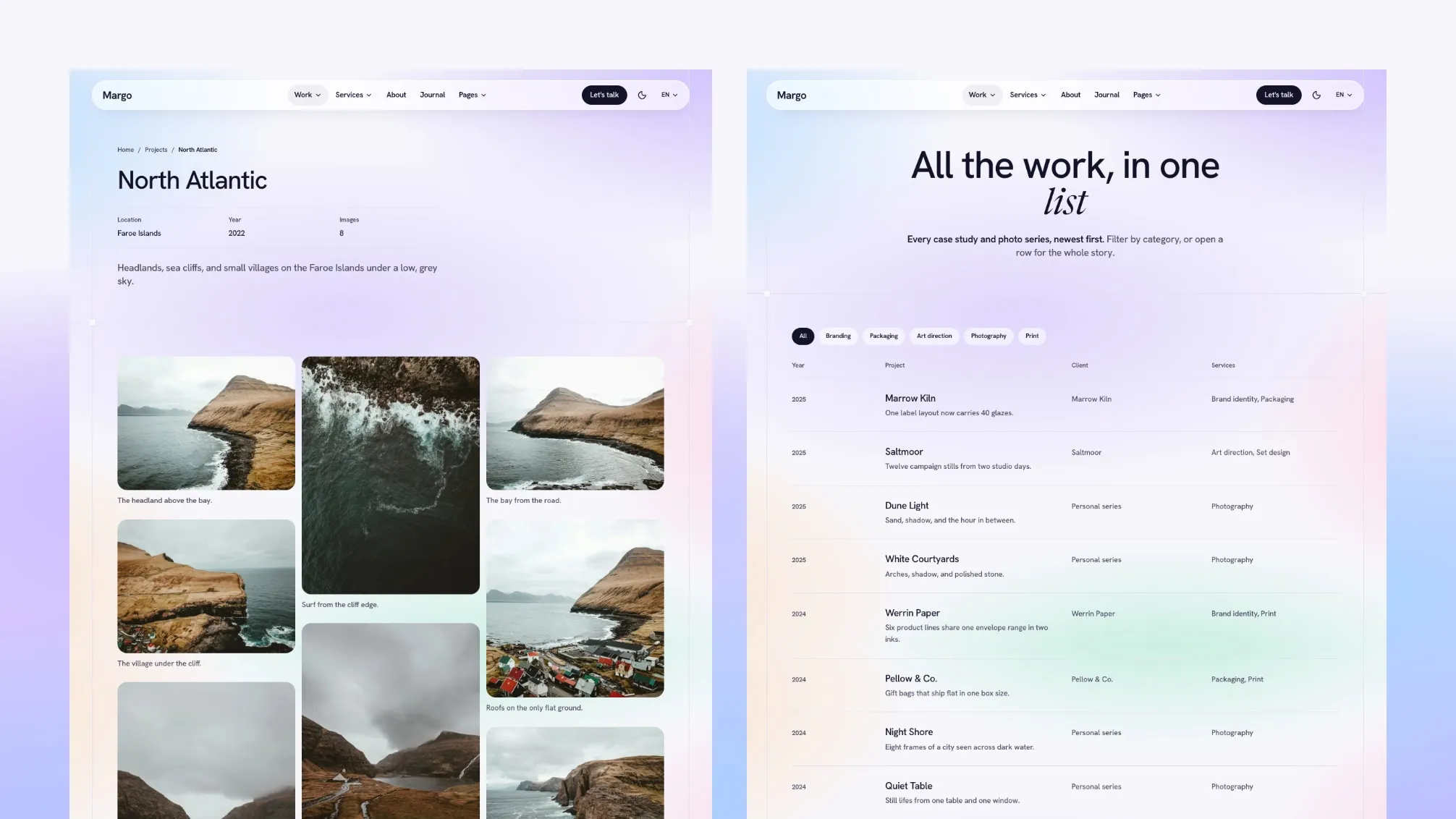
- Projects page with filter chips, and an archive with every project in one ruled list
- Project pages in three templates: a case study, a split case study with the facts beside the images, and a photo series with a lightbox
Studio
- Services overview, and a page per service with a starting price, what the client receives, the process, the tools, related projects and questions
- Pricing page with a monthly and yearly toggle, and an FAQ page
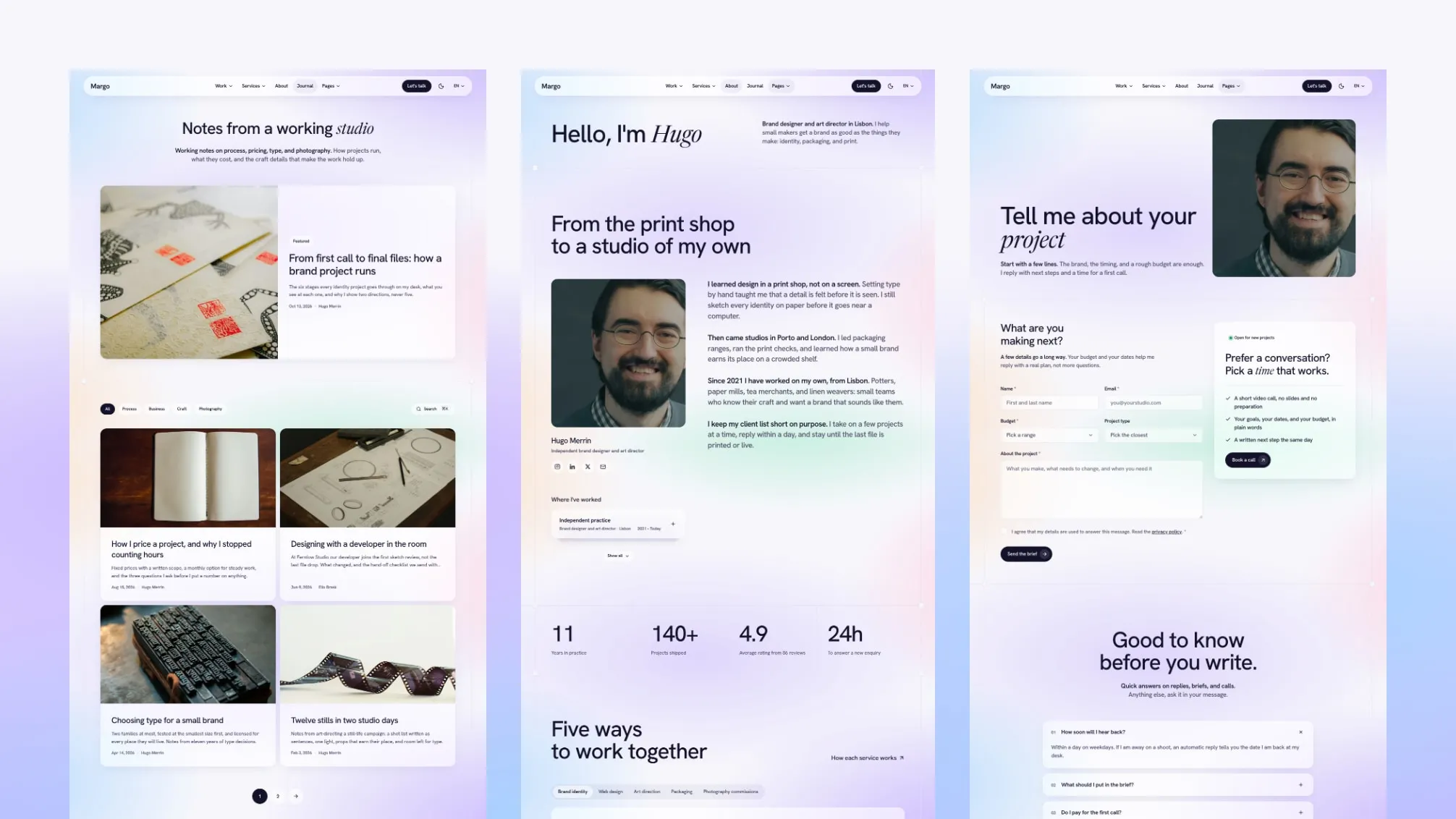
- About, team with a page per member, testimonials, and contact with a form and a booking card
Journal and legal
- Journal with authors, categories, tags, an author box, related posts, reading time, a table of contents and RSS
- Privacy policy, terms and cookie policy pages with sample text for your own legal review, and a 404 page in each language
Plus a layout gallery (/elements/) that previews every layout of the multi-layout sections and the page header.
What You Get
- Full Astro source code, deploy configs for Netlify, Vercel and Cloudflare Pages, AI assistant instruction files, a changelog, and demo content in English, French and Arabic.
- Static output: no server or database needed to host it.
- Demo photos, projects, clients, prices, quotes and text are samples to replace before launch.
Not Included
- Online payments, a shop or client accounts.
- A calendar or scheduling tool. Book a call buttons link to the scheduling page you already use, or to your contact page.
- A CMS in the Astro edition. Its content lives in files in your repository; the Tina and Sanity editions are chosen on this page.
- A Figma file.
- Hosting, a domain or deployment.
What You Can Build With Margo
Brand or graphic designer. Start from /: the masthead, selected projects as case studies and your services with starting prices. Extra work: write your case studies and set your prices.
Small design studio. Start from /home-studio/: the studio numbers, the team pages and the pricing page with the monthly and yearly toggle. Extra work: add your team members and your client logos.
Photographer. Start from /home-photo/: the full-bleed photo and the photo series with a lightbox. Extra work: add your series and choose your cover photos.
Change Layouts From Content Files
19 sections and the page header come in 2 to 5 layouts each, 55 in all. Pick a layout with one options.layout value in the section’s content file, or in a page’s frontmatter block, with no code changes. Section files list their options and allowed values in comments, and /elements/ shows every layout.
Site Settings In One File
Site identity, forms, header and footer layouts, search, motion, the contact dock, cookie consent and languages are set in src/config/config.toml. Colors and the type scale live in src/styles/theme.css, and menus in src/config/menu.<language>.json.
Where Things Live
src/
  config/          config.toml, menu.<language>.json, social.json, fonts.json, language.json
  content/         Markdown and MDX for every page, in english/, french/ and arabic/ folders
    homepage/      the three homepages
    projects/      one file per project, with its template
    services/      one file per service
    sections/      default content for each section
  layouts/         page layouts, 23 section components, widgets and cards
  pages/[...lang]/ routes for every language
  sections.schema.ts  section fields and layout options
  styles/theme.css    colors and type scale
Built-In Site Features
- Light and dark mode, with the first-visit mode set in
config.toml.
- English, French and Arabic, with the whole layout mirrored on right-to-left pages, and hreflang tags.
- Site search (⌘K) built with Pagefind.
- Reveals on scroll, scroll effects, animated WebGL backgrounds and page transitions, each with its own switch, and a still page for reduced motion.
- A desktop menu with one shared panel, a mega menu and flyouts, and a light mobile menu.
- A contact dock with your email and booking link.
- SEO basics built in: canonical and Open Graph tags, a generated share image per page, a sitemap,
robots.txt, structured data and an RSS feed.
- Cookie consent banner: scripts you mark as analytics or marketing run only after the visitor accepts that category.
- A contact form that posts to Formsubmit, Formspree or Netlify Forms, and a Mailchimp newsletter form.
- Generates llms.txt, llms-full.txt and a Markdown copy of pages, with Ask AI links in the footer.
Margo ships instruction files for AI coding tools: AGENTS.md, plus CLAUDE.md for Claude Code, GEMINI.md for Gemini CLI, rules for Cursor, GitHub Copilot and Windsurf, and SKILLS.md with step-by-step recipes.
What each tool reads on its own:
- Codex:
AGENTS.md
- Cursor:
.cursor/rules/theme-architecture.mdc and AGENTS.md
- Windsurf:
.windsurf/rules/theme-architecture.md and AGENTS.md
- GitHub Copilot:
.github/copilot-instructions.md and AGENTS.md
- Claude Code:
CLAUDE.md, which imports AGENTS.md
- Gemini CLI:
GEMINI.md, which imports AGENTS.md
- SKILLS.md: no tool reads it on its own. Mention it in your request.
Most changes are edits to Markdown, TOML and JSON files. Ask your assistant to update the files of every language. Some things stay with you: form accounts, your scheduling page, your domain and host, legal text, prices, client names and logos, photos, and a final look at every page in the browser.