What type of website is Techlo best for?
01Techlo is best for IT company and agency websites, Software and product engineering studios, Managed service and cybersecurity firms, Portfolio-led technology service sites.
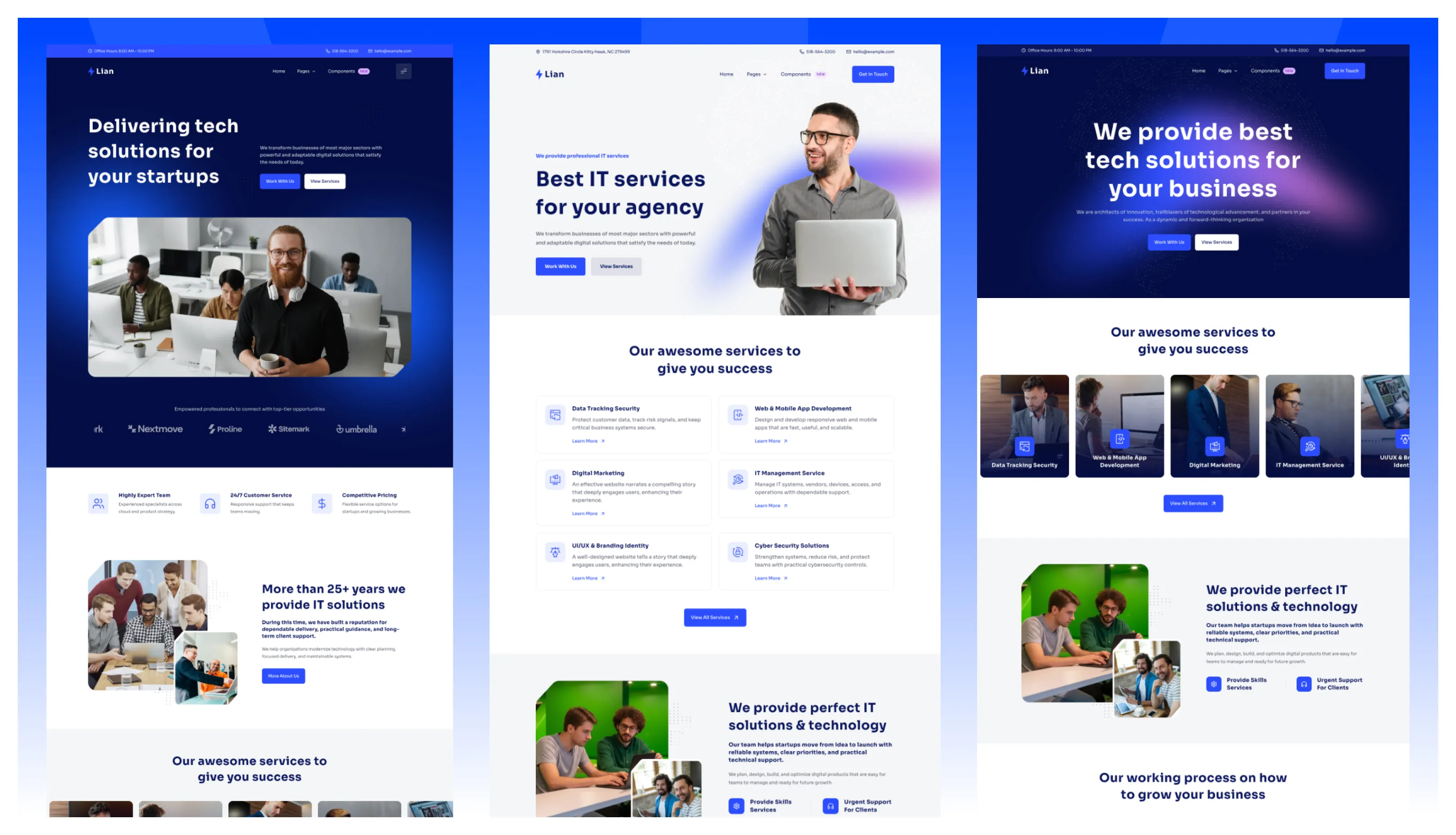
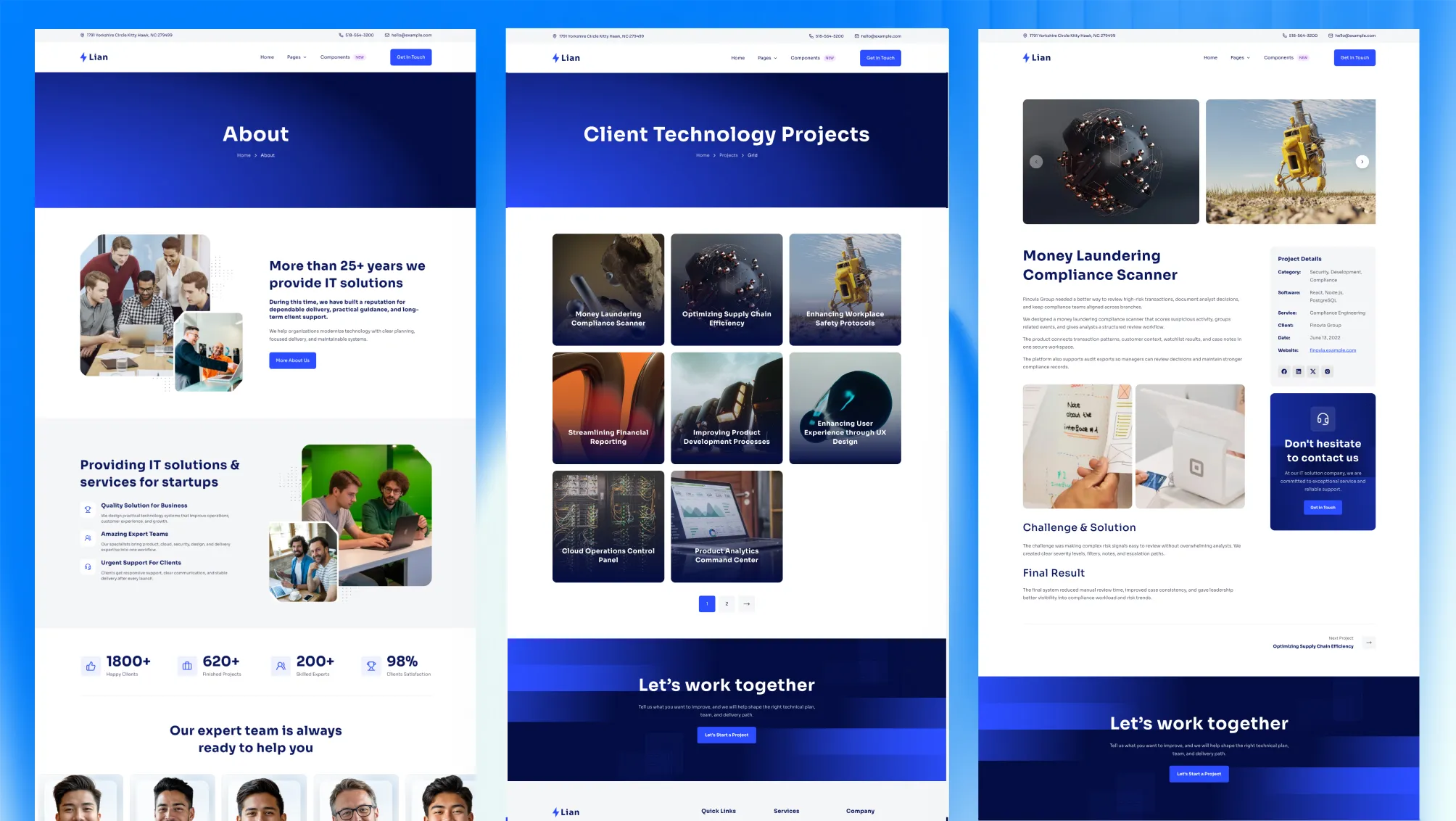
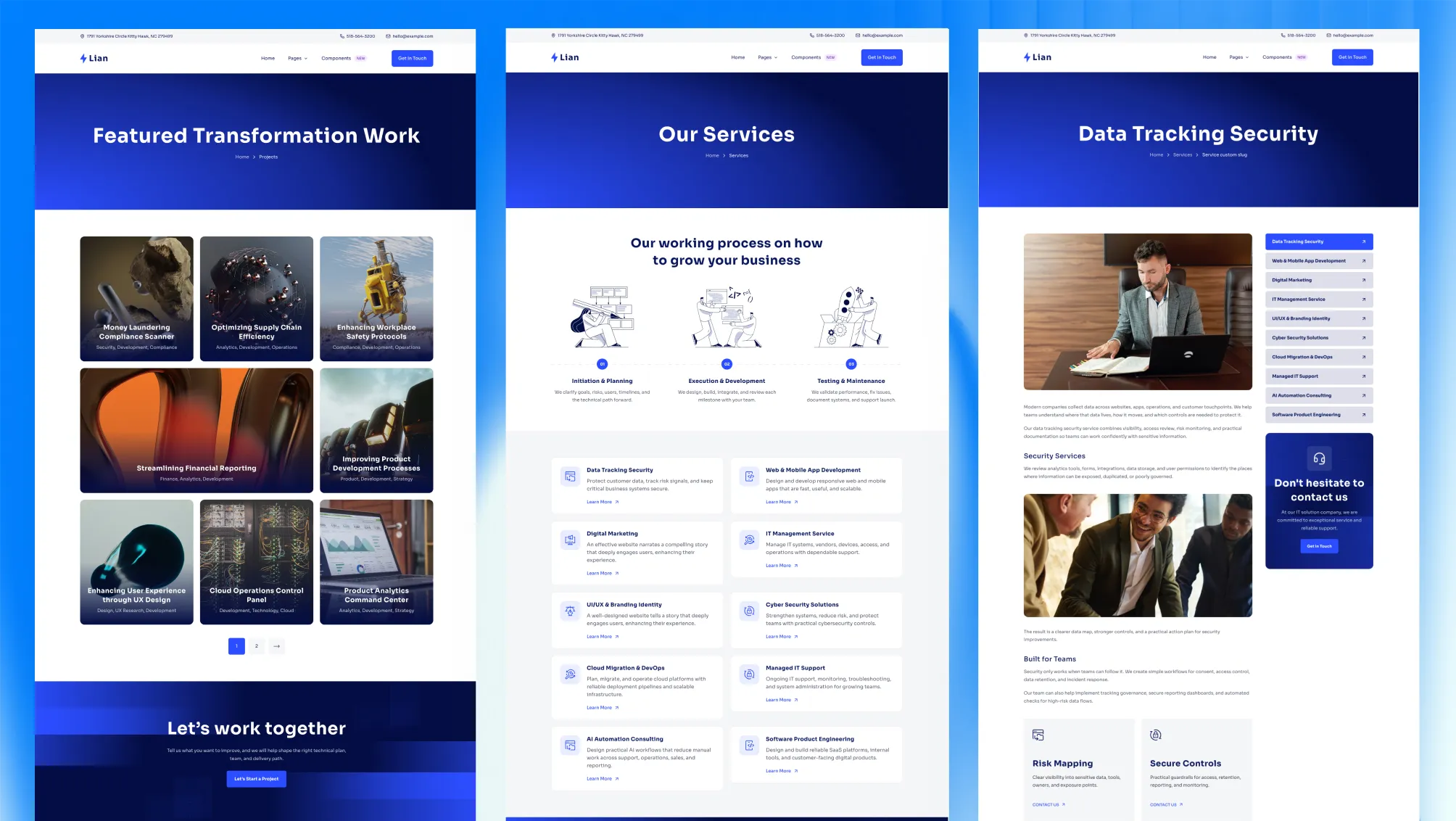
It is the better fit when a technology business needs more than a single landing page: services, a real project portfolio, team pages, pricing, and a blog across three homepage styles.
Techlo includes project files that help AI coding assistants follow the theme’s structure from day one.
AGENTS.md — the full project playbook: structure, section conventions, schema, styling, and verification rules that agents read before writing code.SKILLS.md — task-by-task recipes for the common jobs: add a section, add a page, add a language, rebrand the palette, configure forms.RULES/ — editor rules so each tool understands the theme out of the box: .cursor/rules/ for Cursor, .github/copilot-instructions.md for GitHub Copilot, and CLAUDE.md for Claude.Point Cursor, Copilot, or Claude at the project and AI edits can follow the same components, schema, and design tokens.
Techlo ships three distinct homepage demos, so you can pick the entry point that matches your business instead of forcing one layout to do everything:
Each one reuses the same sections and content files, so switching the lead style does not mean rebuilding the site.
Techlo includes the pages an IT firm or software agency actually needs before launch:
That mix makes Techlo useful for both a first launch and later expansion.
Techlo is more than a design skin. The structure is set up for technology businesses that need to explain what they do, show proof, and convert.
It helps you:
This is where Techlo separates itself from most service themes. Projects are a first-class content collection with multiple layouts you control from frontmatter.
options:
  layout: "masonry" # masonry | grid | carousel
  cardStyle: "overlay" # overlay | masonry
  columns: 3 # 2 | 3 | 4
  limit: 6 # false | number
That makes Techlo a strong fit for studios and agencies whose work is the strongest sales argument.
Techlo includes a navigation system designed for a site with services, projects, blog, and support pages.
{
  "name": "Projects",
  "hasChildren": true,
  "children": [
    { "name": "Masonry", "url": "/projects/" },
    { "name": "Grid", "url": "/projects/grid/" },
    { "name": "Single", "url": "/projects/custom-project-slug/" }
  ]
}
The menu is driven by JSON, so the navigation grows without touching header code.
The main controls live in predictable files:
src/config/config.tomlsrc/config/menu.en.jsonsrc/config/menu.fr.jsonsrc/config/social.jsonsrc/config/fonts.jsonsrc/config/language.jsonFrom config.toml you can control the sticky header, contact form provider, smooth scroll, animation behavior, multilingual settings, Mailchimp subscription, contact info, and SEO defaults — without digging through components.
[settings]
stickyHeader = true
contactFormProvider = "formsubmit.co"

[settings.navigationButton]
enable = true
url = "/contact/"Techlo ships with a modern motion layer that you tune from one place instead of editing scripts.
text-flip, creative-fill, magnetic, and magnetic-text-flip[settings.smoothScroll]
enable = true
respectReducedMotion = true
duration = 1.1
easing = "expo"
[settings.animation]
enable = true
distance = "2rem"
blur = "10px"
threshold = 0.14Techlo includes English and French structure in the source project, with matching content folders and menu files.
If you do not need the second language:
npm run remove-multilingualIf you need to generate it again later:
npm run generate-multilingual-contentThis keeps the project flexible instead of locking you into one setup.
Techlo is built for content, not just marketing copy.
[settings.markup.tableOfContents]
enable = true
expanded = false
startLevel = 1
endLevel = 5
That makes it useful for technical service pages, project write-ups, and long articles.
Techlo supports three contact form providers out of the box:
formsubmit.coformspreenetlifyIt also includes a Mailchimp subscription form in the footer. You can start with a simple setup and switch providers later from config without rewriting the form layer.
Techlo includes the technical groundwork a serious business site should have from day one.
Techlo is built on a current, low-maintenance stack:
astro-font, defaulting to SoraThe brand palette is an electric blue with a lime accent, defined as theme tokens in src/styles/theme.css so a rebrand is a few variables, not a find-and-replace.
Techlo is easy to hand off.
sections.schema.ts so section options are discoverableThat means less time digging through random components and more time shipping client work.
Techlo ships with built-in instructions for AI coding assistants, so tools like Claude, OpenAI Codex, Cursor, GitHub Copilot, Gemini, and Windsurf can read the theme’s structure, content model, and conventions from the start.
Instead of guessing, your assistant follows the same rules the theme is built on: where sections, content, and schemas live, which shared components to reuse, and how to stay on the design system.
The result is simpler AI-assisted editing with fewer off-pattern changes.
Techlo is an Astro theme for IT firms and software agencies with a real technology-site structure behind it — three homepages, a proper projects portfolio, services, team, pricing, blog, and contact.
Choose Techlo if you run a technology business and need a site that looks credible, shows your work, and moves visitors toward a project request.
Techlo is best for IT company and agency websites, Software and product engineering studios, Managed service and cybersecurity firms, Portfolio-led technology service sites.
Techlo is a paid Astro theme designed for teams that need a more complete production-ready starting point.
Yes. Techlo includes multilingual-ready project structure, which helps when the site needs localized routes or content.
Techlo includes blog support, pricing pages, service pages, portfolio layouts, along with 24 core pages and 29 sections.
Choose Techlo when you run an IT services firm or software agency and need a portfolio-driven website with services, projects, team, pricing, and blog content that can launch and then scale from one codebase.
Pay once with no subscription. Choose yearly or lifetime downloads on Essential.
Pro and Business include downloads and updates for life.
For solo creators building one client site or personal project per theme.
+ Local Taxes Act Quick Before It's Gone! ~ 45% OFF
Individual themes
value $790
Save $691
(87%)
+ Local Taxes Act Quick Before It's Gone! ~ 40% OFF
Individual themes
value $790
Save $671
(85%)
For freelancers and teams working across multiple client projects.
+ Local Taxes Act Quick Before It's Gone! ~ 50% OFF
Individual themes + figma
value $910
Save $711
(78%)
For studios and teams that want unlimited projects, more seats, and complete access.
+ Local Taxes Act Quick Before It's Gone! ~ 40% OFF
Individual themes + figma
value $910
Save $611
(67%)
Released 07 July, 2026
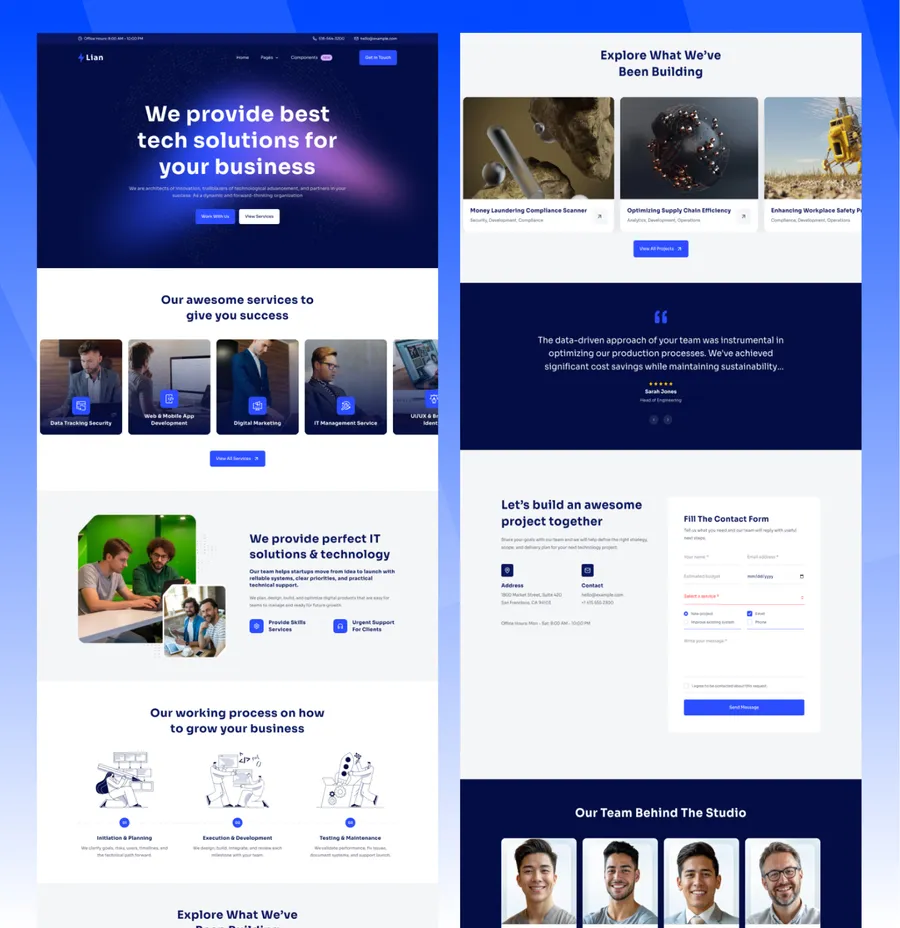
Choose Techlo Lite if you want the free starter for a smaller IT services site before moving into the full Techlo page library.
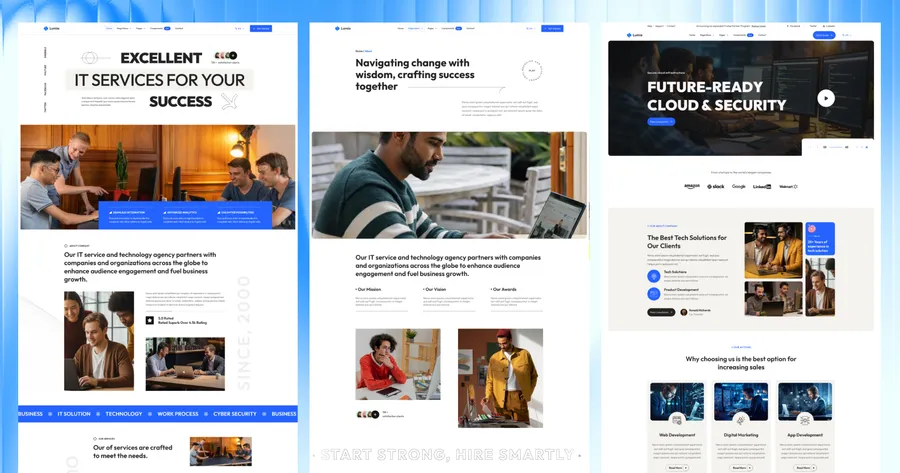
Released 09 Apr, 2026
Choose Lumio if you are more of a multi-service consultancy that needs case studies over a visual project portfolio.
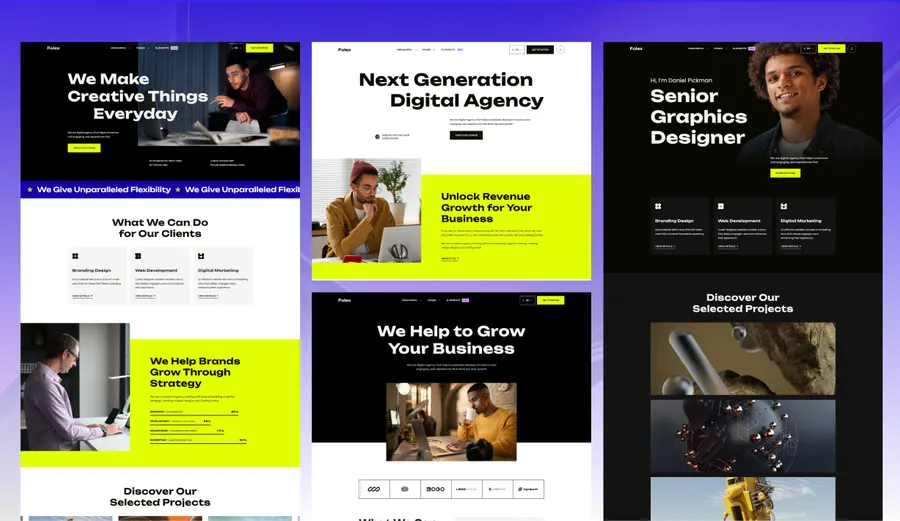
Released 08 July, 2025
Choose Folex if your brand is creative-studio first and almost entirely portfolio-led.
Released 03 Feb, 2025
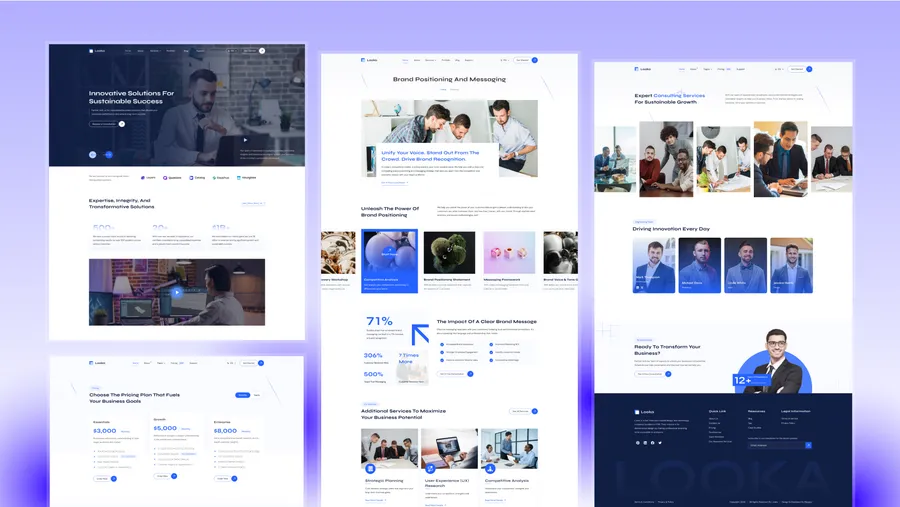
Choose Looka if you want a more formal advisory or consulting presentation with less technology framing.