Five Astro photography themes have a live preview you can open today, checked on November 15, 2026. Astro Photo Folio is the free MIT theme built for photographers, and our paid Margo has a photographer homepage for someone who takes commissions. The other three are free visual themes you can adapt: DomusPicturae for an art gallery, Shyne for a blog with a photo timeline, and Tonefolio for an illustrator’s gallery. Four of the five open full-size images in a lightbox. Jump to the quick picks.
Quick picks
Quick picks
- Personal photography site, freeAstro Photo Foliodigital and analog galleries, a photo calendar, MIT
- Working photographer who takes commissionsMargophoto series, services with prices and a booking card
- Gallery or exhibition spaceDomusPicturaeartists, artworks, exhibitions, three languages, MIT
- Blog with photo storiesShynePolaroid-style photo timeline and instant search, MIT
- Illustration or art gallery with a CMSTonefoliomasonry layout, lightbox and tag filters, MIT
How we checked
We started from the top Google results for “astro photography template”: the Astro theme catalog, a GitHub photography portfolio, two photography theme pages in that catalog, and a free theme directory. Then we searched GitHub for Astro photography, photographer, gallery and photo portfolio repositories pushed in the last year.
A theme made the list only with all three: a live preview that returned a page on November 15, 2026, a source link, and a license that lets you change the code. It also needed an Astro version no more than one major behind Astro 7 in package.json and a push in the last 12 months. That ruled out the GitHub portfolio Google ranks second; it is listed below with the reason. Every preview image is a screenshot we took of the live preview. We read each README and package.json, but did not install or build any of the five.
1. Astro Photo Folio
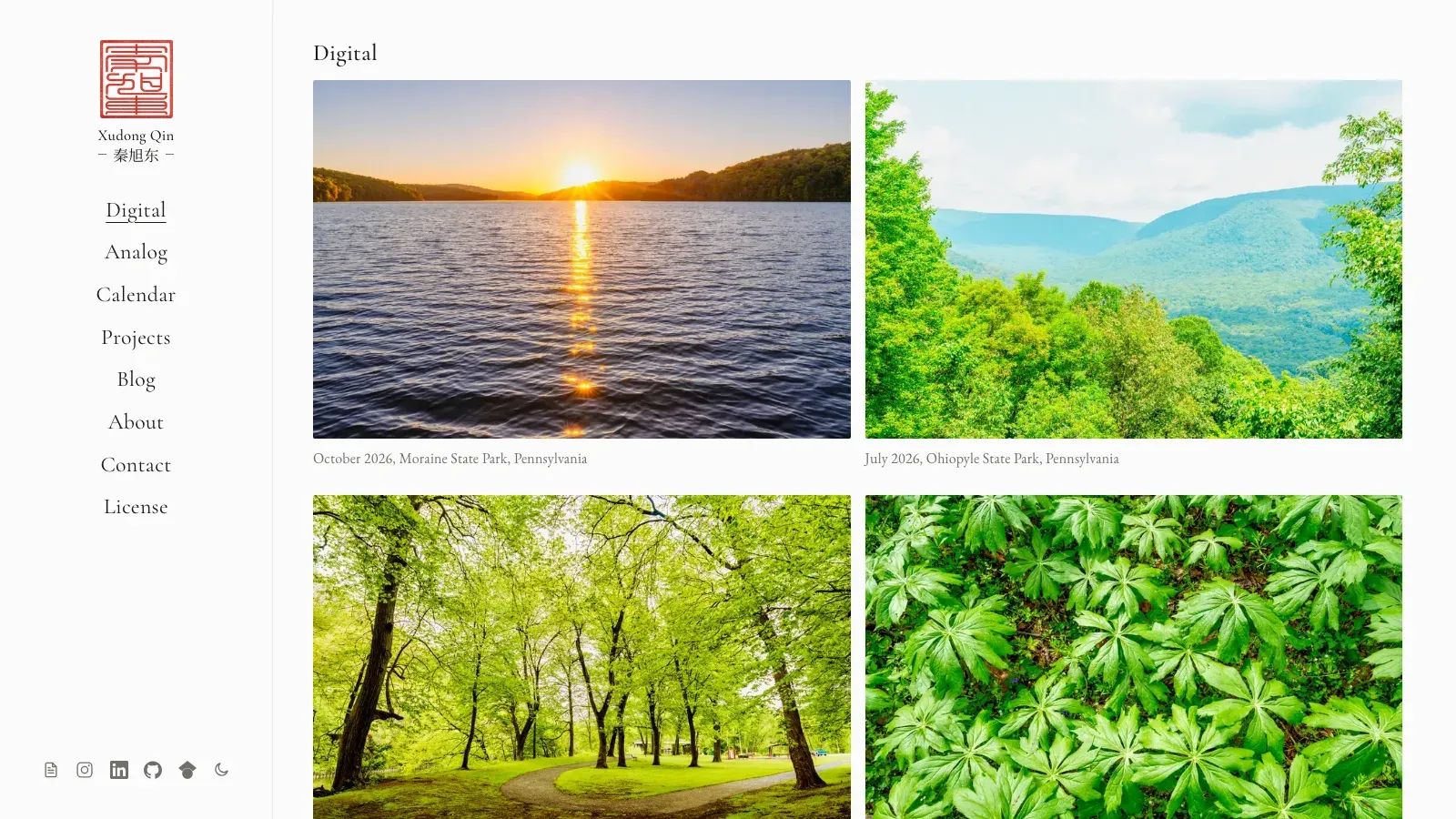
Free and open source, MIT. A minimal photography portfolio with responsive galleries and two blogs, one for photos and one for writing.
Best for
A photographer who wants a personal portfolio for their own work, with separate digital and film galleries and room to write.
- License
- MIT
- Astro version
- ^7.3.6 in package.json
- Last push
- October 7, 2026
- GitHub stars
- 18
- Node version
- 22.12 or newer, from the README
The README lists Digital and Analog galleries, a calendar page with one photo per month, a tech blog and a photo blog in Markdown or MDX, a full-screen lightbox, and light and dark modes. Images are served as responsive WebP capped at 3840 pixels wide, so the original files are never sent to visitors. It also builds SEO tags, JSON-LD and an llms.txt file. The live preview is the author’s own site, which the README calls the theme in production.
Pros
- The only free theme we could find built for photographers first
- Optimized images: originals stay private and pages load fast
- Galleries, a calendar and two blogs in one theme
Cons
- The demo is the author’s real site, so the photos are theirs, not sample content
- Comments are not wired up, by the README’s own account
- No pricing, services or booking pages for client work
2. Margo
Made by us
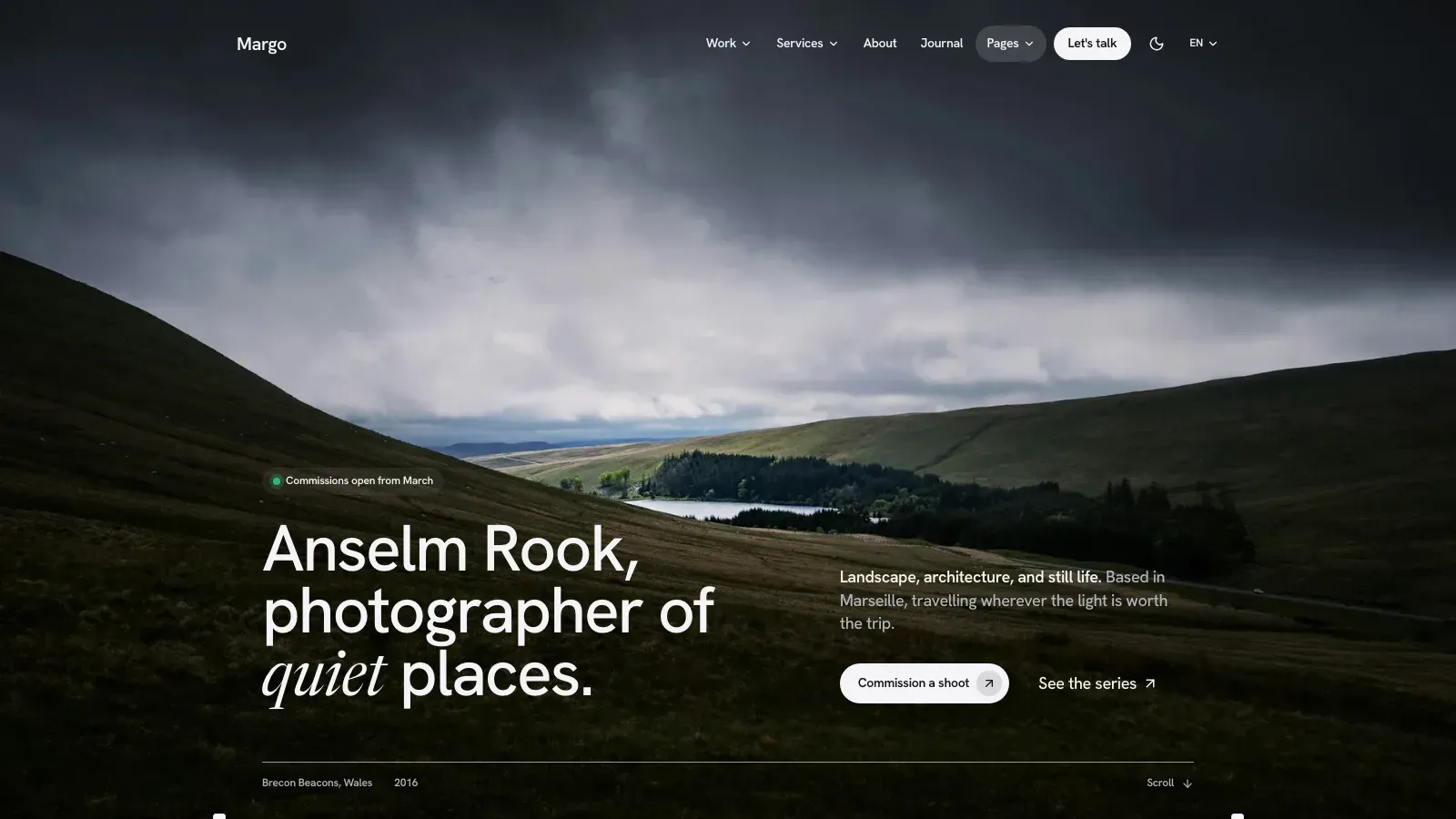
Margo is one of our premium Astro themes, built for a solo designer, a small design studio or a photographer. Its photographer homepage opens on a full-bleed photo with the photographer’s name over it.
Best for
A working photographer who sells shoots and wants photo series, services with starting prices and a way to take enquiries.
- Access
- paid Astro theme by Getastrothemes
- Pages
- 3 homepages and 19 inner page designs
- Languages
- English, French and Arabic
- Hosting
- static output, no server or database
The photographer homepage leads to a gallery that can showcase your photo series, then pricing. Project pages come in three templates, including a photo series with a lightbox, and there is an archive of every project. Each service has a page with a starting price, what the client receives and the process. Margo also has a pricing page with a monthly and yearly toggle, testimonials, a journal with RSS, and a contact page with a form and a booking card.
Pros
- A homepage made for a photographer, not adapted from a developer portfolio
- Services, prices and enquiries for client work
- Photo series pages with a lightbox
Cons
- No online payments, shop or client galleries for proofing
- Book-a-call buttons link to the scheduling tool you already use
- Paid, unlike the four free picks
3. DomusPicturae
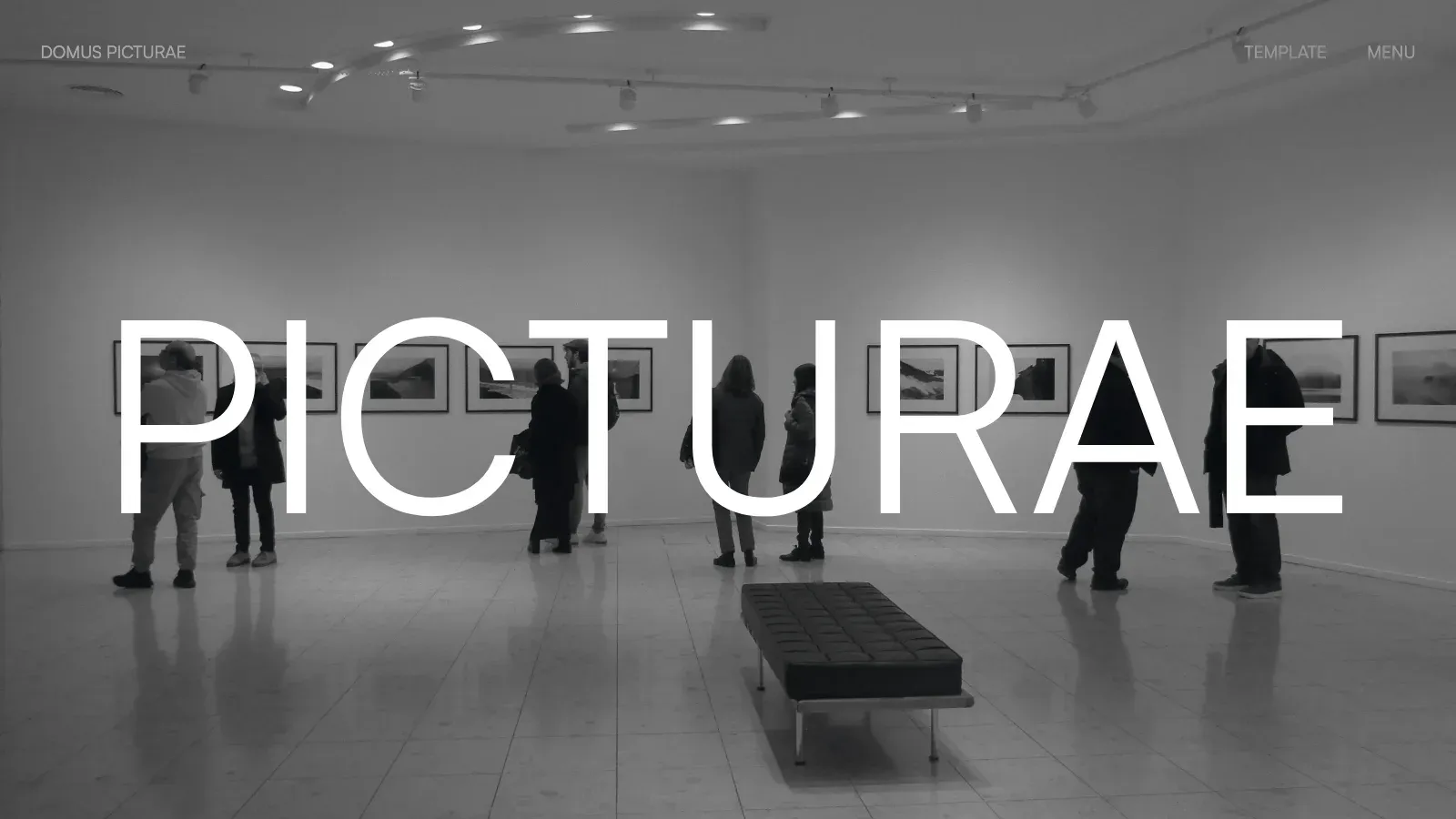
Free and open source, MIT. A website theme for contemporary art galleries, with artists, artworks, exhibitions and workshops.
Best for
A gallery, collective or photographer who exhibits and sells prints, and needs pages for artists, works and shows.
- License
- MIT
- Astro version
- ^7.4.7 in package.json
- Last push
- November 10, 2026
- GitHub stars
- 2
- Content
- Keystatic, a Git-based CMS
The README lists artists, artworks marked as available, sold or not for sale, a viewing room and a private collection, exhibitions, workshops and news, and English, French and German translated field by field. Motion uses GSAP and Lenis. Newsletter and workshop forms post to Formspree or any JSON webhook.
Pros
- Artwork status (available, sold) for a gallery that sells
- Three languages translated per field
- A Git-based CMS for editing without code
Cons
- The demo gallery and artists are fictional
- The forms run in demo mode until you set the form endpoints
- Editing through Keystatic in production needs a server adapter and GitHub storage
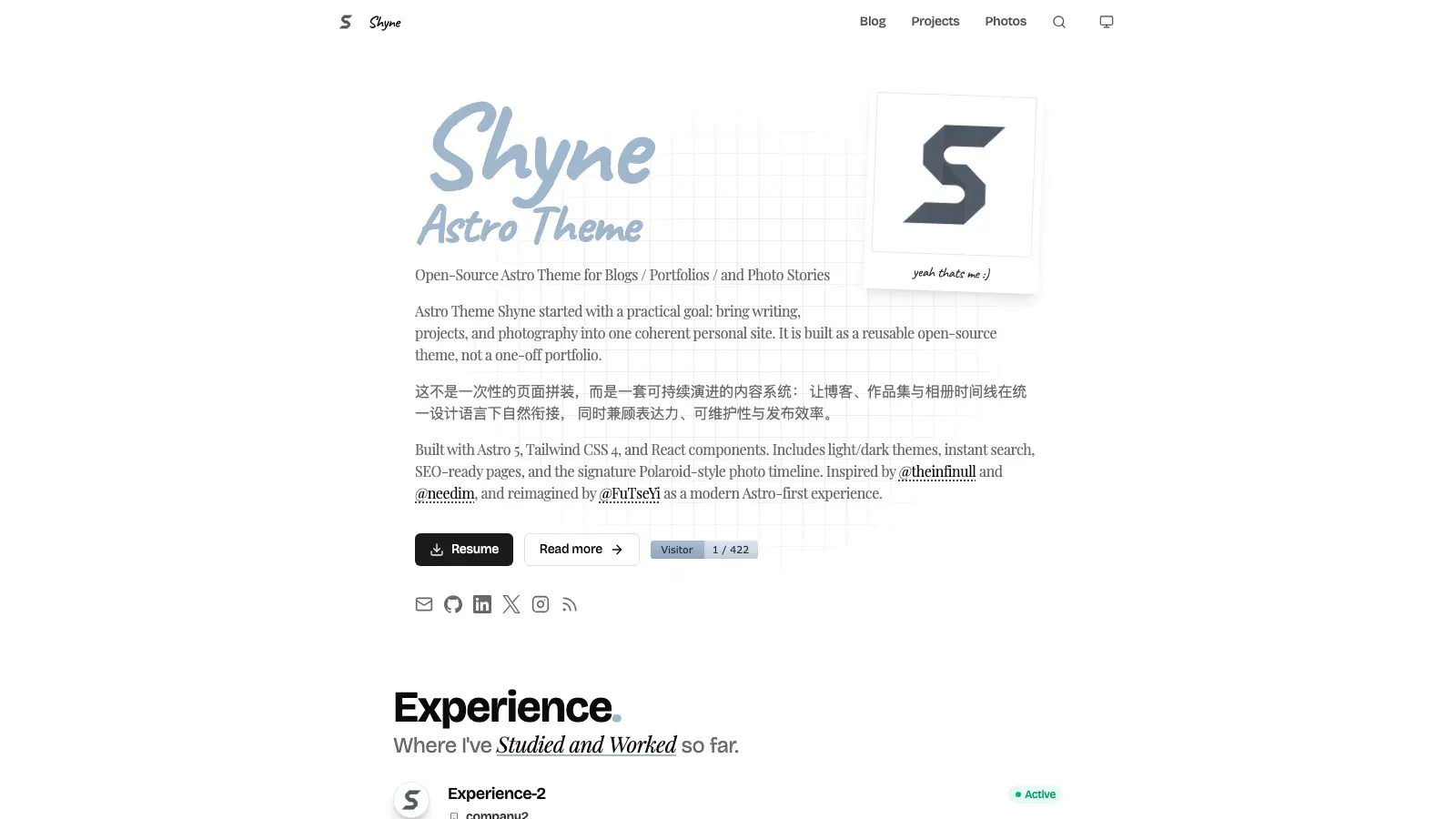
4. Shyne
Free and open source, MIT. A minimal blog and portfolio theme with a Polaroid-style photo timeline.
Best for
A writer or developer who takes photos and wants writing, projects and photo stories on one personal site.
- License
- MIT, in the LICENSE file; GitHub does not detect it
- Astro version
- ^6.4.4 in package.json, one major behind Astro 7
- Last push
- November 2, 2026
- GitHub stars
- 13
- Styling
- Tailwind CSS 4 with React components
The README lists a Polaroid gallery with a lightbox, multi-chapter blog posts, project cards, instant search, light and dark modes, RSS and a sitemap. An optional script imports posts and photos from an Obsidian vault.
Pros
- A photo timeline that reads like a journal
- Instant search across posts
- Imports from Obsidian if that is where you write
Cons
- A blog first: photos are one section of the site
- The README badge says Astro 5, but package.json declares Astro 6
- The README is in Chinese and English
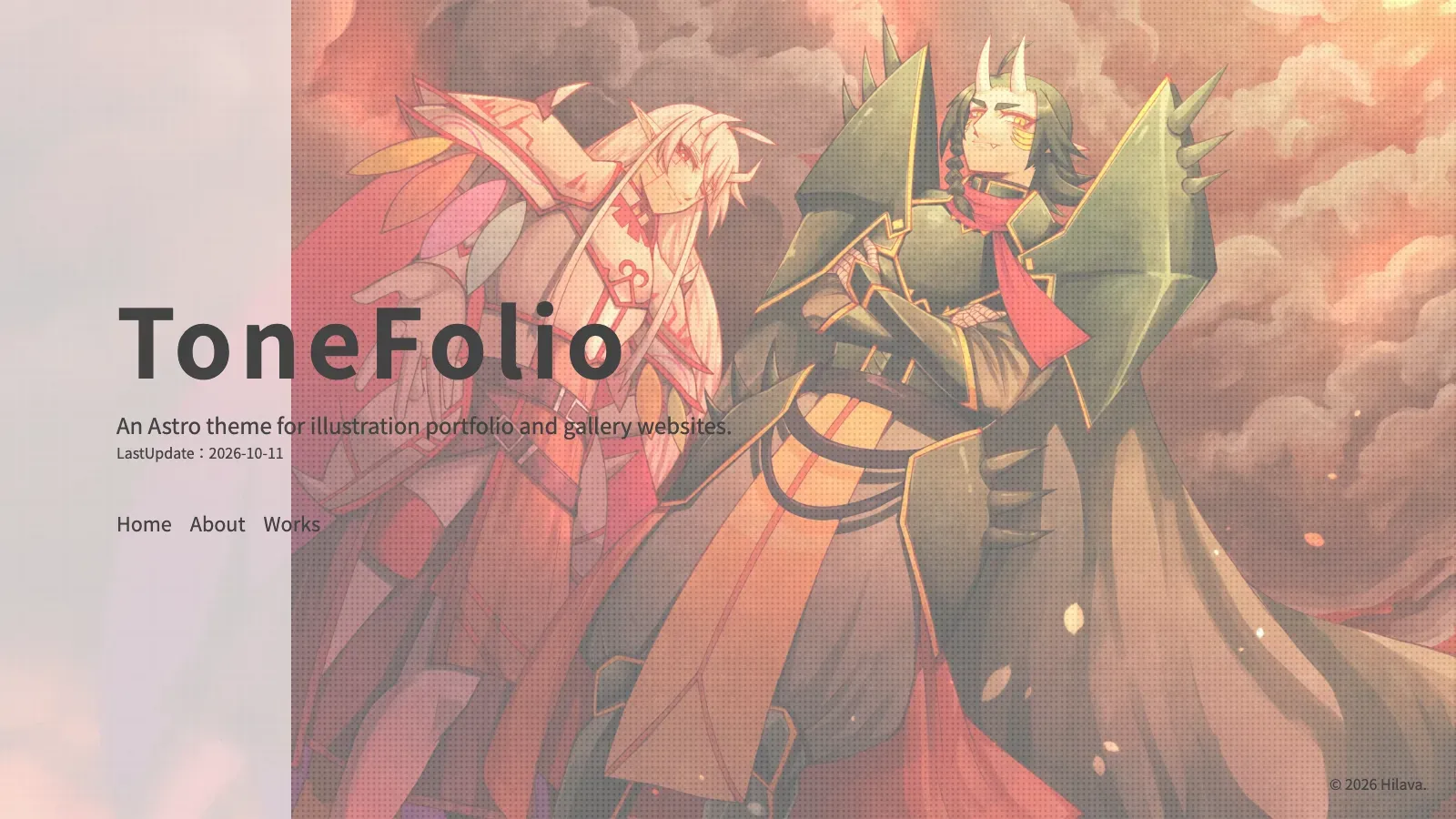
5. Tonefolio
Free and open source, MIT. A portfolio and illustration gallery theme, made in the author’s words by an artist, for artists.
Best for
An illustrator or digital artist who wants a gallery they can update in the browser, without editing code.
- License
- MIT
- Astro version
- ^7.3.8 in package.json
- Last push
- October 17, 2026
- GitHub stars
- 0
- Content
- Sveltia CMS
The English README lists editing through Sveltia CMS, a masonry layout, a PhotoSwipe lightbox, filtering by tag, Open Graph images and a responsive layout. It also has a content-warning screen for work that is not safe for every viewer.
Pros
- Edit and publish from the browser through the CMS
- Masonry layout suits images of mixed sizes
- A content-warning screen, rare in free themes
Cons
- Built for illustration, so photographers will rework the copy
- The manual is still being written, by the README’s own account
- No stars yet, and one author
What a photography site needs, and which pick has it
- Galleries. All five show images in a gallery, and all but DomusPicturae open them in a lightbox. Astro Photo Folio splits digital from analog, Tonefolio uses a masonry layout, and Shyne a photo timeline.
- Image weight. Photos are heavy. Astro Photo Folio serves responsive WebP and never sends originals; for the others, check how images are optimized before you upload full-size files.
- Selling your work. Margo has services with starting prices and an enquiry form, and DomusPicturae marks artworks as available or sold. None of the five takes payments on the page.
- Editing. Tonefolio and DomusPicturae have a CMS. The others keep photos and posts as files in the repository, under
src. - SEO. Photos carry no text, so titles, alt text and file names do the work. Astro Photo Folio builds JSON-LD, and Shyne builds a sitemap and RSS.
Which one to start from
| If you want | Start from | Cost | Best for |
|---|---|---|---|
| A personal photography portfolio | Astro Photo Folio | Free, MIT | Your own work, digital and film |
| A site that books client shoots | Margo | Paid | Commissions, services and prices |
| A gallery that shows and sells | DomusPicturae | Free, MIT | Artists, works and exhibitions |
| Photos alongside a blog | Shyne | Free, MIT | Writers who take photos |
| An illustration gallery with a CMS | Tonefolio | Free, MIT | Artists who edit in the browser |
How to start from a free pick
- Open the live preview and click through a gallery and the lightbox before you install anything.
- Clone the repository from GitHub and install. Astro Photo Folio uses npm (
npm run dev,npm run build); DomusPicturae and Shyne use pnpm (pnpm install,pnpm dev,pnpm build). - Replace every sample image, name and caption. Check the license of any image you keep, since a theme’s MIT license covers the code, not the photos.
- Keep the configuration in one place: Astro Photo Folio’s settings live in
src/config.ts, so edit that before the components.
We read these and left them out
- astro-photography-portfolio: the second Google result, but no license, astro ^5.8.1 and no push since July 2025.
- Astro Wanderer: MIT on Astro 7, but a developer portfolio first, with travel photos as one section.
- Vault and Janus: MIT illustration galleries on Astro 7 by Tonefolio’s author, with Japanese-only READMEs.
- Portfolio Template: MIT on Astro 7 and a good fit, but no live preview.
- Astro Photo Grid: no LICENSE file, and its README demo returned a 404.
- Modern Photography Portfolio: no license and on Astro 5.
We also left out paid photography themes sold by other theme shops. This list covers free themes and our own.
What this list does not cover
None of the five offers client proofing galleries, print sales checkout or image licensing. For portfolios of other kinds of work, see our free Astro portfolio themes. To set up whichever you pick, see installing an Astro theme, and for hosting, deploying Astro to Cloudflare.