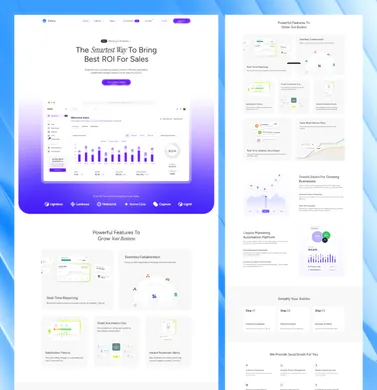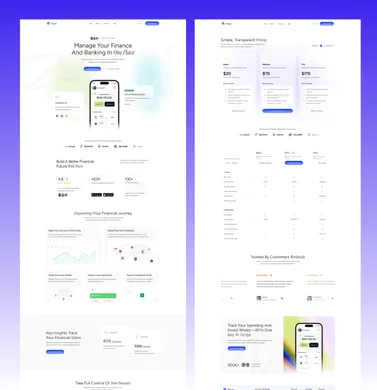
To build an Astro site with Claude Code, Cursor or Codex without ending up with a mess, start from a structured theme or starter, give the agent a project instructions file and the Astro Docs MCP server, and work in small tasks. After each task, run astro check and a build, and read the diff before you keep it.
That loop matters more than the tool: all three will otherwise write Astro code from two major versions ago or invent integrations. Our themes ship these guidance files, and the setup works on any Astro project.
Should you start from a theme or let the AI generate everything?
Start from a theme or starter. An agent working in an empty folder has to invent everything: the folder layout, the content model, the design tokens, the component API. It makes those choices one prompt at a time, so by the tenth prompt you have three button components and copy spread across a dozen .astro files.
A structured starting point fixes the decisions up front. The agent’s job changes from “design a site” to “follow the patterns that are already here”, and models are much better at the second job.
| Starting point | What the agent has to decide | Typical result |
|---|---|---|
| Empty folder, one big prompt | Structure, content model, styles, routes | Fast demo, hardcoded copy, hard to maintain |
npm create astro@latest minimal | Most structure and all design | Clean but slow; you review every architectural choice |
| Official or community starter | Design and content model | Good for blogs and docs; business sections are on you |
| Structured theme with content config | Only what your project changes | Agent extends existing sections, schemas, and tokens |
The Astro docs give the same advice in their guide to building with AI: start from an existing theme or create astro, rather than asking a model to scaffold a project from nothing. If you need to pick a base first, see our roundup of Astro starter themes or the free Astro themes.
What to look for in a base that agents will work in:
- Content in content files. Copy lives in Markdown, MDX, JSON, or a config file, and a schema in
src/content.config.tsvalidates it. - One place for site settings. Site name, menus, SEO defaults, and colors live in config, not in components.
- Reusable sections. A page is a list of sections fed by frontmatter, so “add a pricing section” means reusing a component.
- Current Astro APIs. The content layer,
astro:content, and noAstro.glob(). If the base uses old APIs, the agent will copy them.
How do you give an AI agent context about your Astro project?
Write a project instructions file. Every major tool reads one at the start of a session, and it is the cheapest way to cut off-pattern edits. The file names differ by tool:
| Tool | Project instructions file | Notes |
|---|---|---|
| OpenAI Codex | AGENTS.md | Concatenates files from the repo root down to your working directory; 32 KiB cap by default |
| Cursor | .cursor/rules/*.mdc or AGENTS.md | .mdc rules support description, globs, and alwaysApply frontmatter |
| Claude Code | CLAUDE.md or .claude/CLAUDE.md, plus .claude/rules/ | Reads AGENTS.md when no CLAUDE.md exists; /init generates a starting file |
| GitHub Copilot | .github/copilot-instructions.md, or AGENTS.md | Also reads AGENTS.md anywhere in the repo; .github/instructions/*.instructions.md scopes rules by path |
We read all four vendors’ docs again on November 9, 2026. Three rows were unchanged; the Copilot row grew, because the docs now list AGENTS.md and path-scoped instruction files alongside copilot-instructions.md. Sources: Codex AGENTS.md, where the 32 KiB cap is the project_doc_max_bytes setting, Cursor rules, Claude Code memory and Copilot repository instructions.
AGENTS.md is an open, plain-Markdown format with no required fields, now stewarded by the Agentic AI Foundation under the Linux Foundation. Codex, Cursor and Copilot read it directly, and Claude Code reads it when the project has no CLAUDE.md, which is what makes it a usable single source of truth.
Keep one source of truth
If you use more than one tool, don’t maintain three copies of the same rules. Put the real content in AGENTS.md, then point the other files at it. Claude Code supports imports with @path syntax, so a CLAUDE.md can be this short:
@AGENTS.md

## Claude Code specifics

- Use plan mode before multi-file changes.
Claude Code’s memory docs explain the precedence: if a CLAUDE.md exists in your working directory or above it, Claude reads that instead of AGENTS.md, which is why the import matters. Reading AGENTS.md directly needs Claude Code v2.1.277 or later; the import works on any version. The same docs suggest keeping each file under about 200 lines, since longer files cost context and reduce adherence (checked November 9, 2026).
For Cursor, a project rule lives in .cursor/rules/ and must use the .mdc extension. A rule that only applies to Astro components looks like this:
---
description: Conventions for Astro components
globs: src/**/*.astro
alwaysApply: false
---

- Read text from props or content collections. Never hardcode marketing copy.
- Use existing Tailwind tokens from the theme. Do not add arbitrary hex colors.
- Reuse components in src/layouts/components/ before creating new ones.
What to put in an Astro AGENTS.md
A useful file tells the agent what it can’t discover quickly by reading code: where the source of truth is, which files are generated, and how to verify a change. Here is a trimmed theme for a typical Astro site:
# AGENTS.md

## Stack

- Astro 7, Tailwind CSS, TypeScript. Static output unless a route says otherwise.
- Node 22.23.4 or newer (required by Astro 7.4.2 and later).
- Package manager: pnpm. Use `pnpm astro add` for official integrations.

## Source of truth

- Site settings, menus, and SEO defaults: src/config/
- Page copy: src/content/** (Markdown/MDX). Schemas: src/content.config.ts
- Do not edit generated folders: .astro/, dist/

## Conventions

- Keep editable text in content or config files, not in components.
- Reuse existing sections and components before adding new ones.
- Use the content layer: getCollection(), render() from astro:content, entry.id.
- Never use Astro.glob(), src/content/config.ts, type: "content", entry.slug, or entry.render().

## Verify every change

- pnpm astro check
- pnpm build
- Report what you ran and the result.
Our own storefront repo uses a longer version of the same pattern. Its AGENTS.md names the editable config file and the generated file the agent must never edit. It maps the main layouts and routes, lists the data-* attributes that pricing and cart scripts depend on, and includes a “fast debug map” (“wrong visible price: check these four files first”).
It also has a release guard: changes to checkout, navigation, or shared scripts are not done until a browser smoke test passes. That last rule has caught more agent mistakes than any style rule, because a passing build doesn’t prove a buy button still works.
Package a repeated task as a Claude Code skill
AGENTS.md holds rules for every task. A Claude Code skill holds the steps for one task you repeat, such as adding a collection. Per the Claude Code skills docs (checked November 9, 2026), a project skill is a folder in .claude/skills/ with a SKILL.md file. Every frontmatter field is optional, description is the one the docs recommend, and the folder name becomes the command. Save this as .claude/skills/add-collection/SKILL.md:
---
description: Adds a content collection to this Astro site. Use when asked to add a collection such as team, services or case studies.
---

1. Define the collection in src/content.config.ts with a glob() loader and a schema that imports z from astro/zod.
2. Create src/content/<name>/ with one sample entry that passes the schema.
3. Query it with getCollection("<name>") and render(entry) from astro:content. Use entry.id, never entry.slug.
4. Run pnpm astro check and pnpm build, and report both results.
Type /add-collection to run it, or ask for a new collection in plain words and Claude loads it when the request matches the description. Commit the folder so everyone on the project gets the same steps.
How do you stop AI tools from writing outdated Astro code?
Give them current docs and name the removed APIs. Models learn from years of Astro examples, and Astro has changed a lot. The Astro 6 upgrade guide removes several APIs that still show up in AI output:
| Outdated pattern the agent may write | Current replacement |
|---|---|
Astro.glob('./posts/*.md') | import.meta.glob() or a content collection |
src/content/config.ts | src/content.config.ts with a loader |
type: 'content' in defineCollection | loader: glob({ ... }); collection types no longer exist |
entry.slug | entry.id |
await entry.render() | import { render } from 'astro:content'; render(entry) |
import { z } from 'astro:content' | import { z } from 'astro/zod' (the old import is deprecated) |
Astro 7 added a second set of changes that trip up generated code (Astro 7 upgrade guide):
- Unclosed tags are now build errors. The new Rust compiler also stops fixing invalid nesting, so a
<div>inside a<p>reaches the browser as written. - Whitespace between inline elements is stripped.
compressHTMLnow defaults to'jsx', so<span>hello</span>and<em>world</em>written on separate lines render as “helloworld”. Add{" "}where a space matters. - Markdown runs through Sätteri by default. Remark and rehype plugins an agent adds need
@astrojs/markdown-remarkinstalled andprocessor: unified(). @astrojs/dbwas removed. An agent that reaches for it needs a different database library, such asnode:sqliteor Drizzle.src/fetch.tsis a reserved file name for advanced routing, so an unrelated helper with that name can break the build.
Put the ones that apply to your project in the instructions file, next to the removed APIs above.
Connect the Astro Docs MCP server
Astro runs an official, free Astro Docs MCP server at https://mcp.docs.astro.build/mcp, so your agent can search the current docs instead of relying on memory. In Claude Code:
claude mcp add --transport http astro-docs https://mcp.docs.astro.build/mcpCursor, Codex, and other MCP clients can add the same URL as a streamable HTTP server. For tools that don’t support that transport, the docs suggest npx -y mcp-remote https://mcp.docs.astro.build/mcp. Then add one line to your instructions file: “Check the Astro docs MCP server before using any Astro API you are not sure about.”
Know that astro dev runs in the background for agents
Since Astro 7.0, when astro dev detects an AI coding agent on macOS or Linux, it starts as a detached background process instead of holding the terminal. Since 7.2, astro preview does the same. The server writes its URL, port and process ID to .astro/dev.json (or .astro/preview.json), which stops an agent from starting a second server for the same project. The dev server also answers /_astro/status with {"ok": true}, so an agent can check that it is up. Set ASTRO_DEV_BACKGROUND=0 to keep the old foreground behavior (Astro docs on building with AI).
Watch for invented integrations and config
The other common failure is plausible fiction: an @astrojs/ package that doesn’t exist, a config option from another framework, or a Tailwind setup from an older major version. Two habits catch most of it:
- Require
astro addfor official integrations. The Astro docs recommend this over editingpackage.jsonby hand. Ifpnpm astro addcan’t find the package, that settles the question. - Read
package.jsonandastro.config.mjsin every diff. New dependencies and config changes deserve a second look. Ask the agent to justify any new package in one sentence.
A task loop that keeps the code reviewable
Plan first, then small tasks, then checks, then review. Here is the loop we use.
1. Ask for a plan before any code
For anything that touches more than one file, ask the agent to read the project and propose a plan without editing. Claude Code has a plan mode, and in Cursor or Codex you can say “do not edit files yet”. Correct the plan, not the code. It is much cheaper to fix “I’ll create a new Hero component” at this stage than after it has been wired into six pages.
2. Split the work into tasks you can review in one sitting
A good task changes a handful of files and has a clear “done”. Bad: “build the services section of the site”. Good: “add a services content collection with three entries, then a /services/ index page that lists them”. If a diff is too long to read carefully, the task was too big.
3. Run the checks after every task
pnpm astro check   # type-checks .astro files, exits non-zero on errors
pnpm build         # catches schema errors, broken imports, bad routes
astro check runs diagnostics such as type-checking inside .astro files and is designed for CI. On a fresh project it may prompt you to install @astrojs/check. It also runs astro sync, which regenerates the astro:content types, so it catches frontmatter that no longer matches a schema. Tell the agent to run both commands and paste the result, and don’t accept “this should work”.
4. Look at it in a browser
A build proves the code compiles, not that the page works. Open the dev server and check the page you changed on a narrow mobile width. Test anything interactive: menus, forms, language switchers, tabs. If your project has browser tests, run them after changes to shared components or scripts.
5. Review the diff, then commit
Read the diff yourself with git diff or your editor’s review view. Check for hardcoded copy, new dependencies, deleted code you didn’t ask to delete, and edits to generated folders like .astro/ or dist/. Commit each task separately so a bad change is one git revert away.
Prompts that work for Astro tasks
Good prompts name the files, point at an existing example, state where content belongs, and say how to verify. Here are three you can adapt.
Add a page
Add an /about/ page.
- Follow the structure of src/pages/contact.astro and use the same layout.
- Put all copy in src/content/pages/about.md (frontmatter for title,
  description, and sections). Do not hardcode text in the .astro file.
- Reuse existing section components. If none fits, tell me before creating one.
- Add the page to the main menu config, not to the Header component.
- Run pnpm astro check and pnpm build and report the results.
Add a content collection
Add a "caseStudies" content collection.
- Define it in src/content.config.ts with the glob() loader from astro/loaders
  and import z from astro/zod. Fields: title, client, industry, summary,
  publishDate (date), featured (boolean, default false).
- Create two sample entries in src/content/case-studies/.
- Add src/pages/case-studies/[id].astro using getStaticPaths(), getCollection(),
  and render() from astro:content. Use entry.id, not slug.
- Do not use Astro.glob() or legacy collection APIs.
- Run pnpm astro check and pnpm build.
The collection definition you should expect back looks like this:
// src/content.config.ts
import { defineCollection } from "astro:content";
import { glob } from "astro/loaders";
import { z } from "astro/zod";

const caseStudies = defineCollection({
  loader: glob({
    base: "./src/content/case-studies",
    pattern: "**/*.{md,mdx}",
  }),
  schema: z.object({
    title: z.string(),
    client: z.string(),
    industry: z.string(),
    summary: z.string(),
    publishDate: z.coerce.date(),
    featured: z.boolean().default(false),
  }),
});

export const collections = { caseStudies };
If your project already exports other collections, the agent should add caseStudies to the existing collections object rather than replace it. Check that in the diff.
Add a component
Create a TestimonialCard component in src/layouts/components/cards/.
- Props: quote, name, role, avatar (optional). Type them with an
  interface Props in the frontmatter.
- Match the spacing, radius, and color tokens used by the existing cards in
  that folder. No new colors or arbitrary values.
- No client-side JavaScript.
- Show me where it could replace duplicated markup, but don't change those
  files yet.
A few phrases do a lot of work in Astro prompts: “follow the pattern in [file]”, “put text in content files”, “tell me before creating a new component”, and “run the checks and report the output”.
Keep content in content files
Because agents copy what they see. If one component has a hardcoded headline, the next generated component will too, and soon changing a phone number means a search across thirty files. When copy lives in Markdown frontmatter, JSON menus, or a config file with a schema, three good things happen:
- Content edits stop being code edits. A client or a non-developer can change text without touching components, and you can review content changes separately.
- The schema catches mistakes. If the agent misspells a field or forgets a required one,
astro checkor the build fails instead of the page silently rendering blank. - Translations and reuse get easier. The same section component can render English and French content, or the same card can appear on three pages. See our multilingual Astro guide for how that works with i18n routing.
Make this a rule in your instructions file, and repeat it in prompts for anything that renders text. It is the single most effective rule for keeping AI-built Astro sites maintainable.
Common failure modes and how to catch them
| Failure | How it shows up | How to catch it |
|---|---|---|
Removed Astro APIs (Astro.glob, legacy collections) | Build errors, or code that looks fine but fails | Name them in AGENTS.md; Astro Docs MCP; astro check |
| Invented packages or config options | Install failures, or options that do nothing | Require astro add; review package.json and config diffs |
| Hardcoded copy in components | Text that can’t be edited from content files | Search the diff for string literals in .astro markup |
| Duplicate components | Card.astro, CardNew.astro, ServiceCard2.astro | Ask it to reuse first; plan before code |
| Edits to generated files | Changes in .astro/ or dist/ that vanish later | List generated folders as off-limits |
| Unnecessary client JavaScript | client:load on static content, bigger bundles | Ask why each client:* directive is needed |
| “Fixed” by deleting | Failing tests or features quietly removed | Read deletions in the diff carefully |
| Claims of success without running anything | “This should work now” | Require command output in every reply |
None of these are tool-specific. We’ve seen each one from every major assistant, and the same checks catch them.
Where Getastrothemes themes fit
If you’d rather not write the instructions files yourself, our themes include them. Recent releases of Lumio, Taxo, and Finzo ship with:
AGENTS.md, read natively by Codex and CursorCLAUDE.mdfor Claude Code andGEMINI.mdfor the Gemini CLISKILLS.md, with step-by-step recipes for adding a section or page, rebranding, and managing languages- Editor rules for Cursor, GitHub Copilot, and Windsurf
The files differ slightly between themes, so check the theme page for the exact list.
The themes also use the config-first structure described above: site settings in src/config/config.toml, menus in menu.<lang>.json, and page copy in content files, so an agent has clear places to put things. They are built for current Astro and include English, French and Arabic content out of the box.
The limits are worth stating. Guidance files reduce off-pattern edits, but they don’t replace review: you still need to run the checks and read the diff. And the themes are aimed at business and marketing sites, so they won’t help much if you are building a web app.
Next step
Pick a structured base, add an AGENTS.md using the theme above, connect the Astro Docs MCP server, and try one small task through the full plan, check, and review loop before you scale up.
To try the setup for free, the MIT-licensed Lumio Lite, Techlo Lite, and Folex Lite themes include the same AI guidance files. If you build sites for clients, the All Access Pass gives you every premium theme, and our guide to installing and customizing an Astro theme walks through the first hour with a new theme.